Insight POS Mobile

Your store,
in your pocket.

The Insight POS app puts the back office on your phone, free on iOS and Android: reprice at the shelf, run the inventory, read the day from anywhere. Add Pocket Register and it rings sales and takes tap to pay too.


The app is free with your Insight POS service. Pocket Register is $10/mo.

Questions? Call (518) 633-4111. A real person answers.
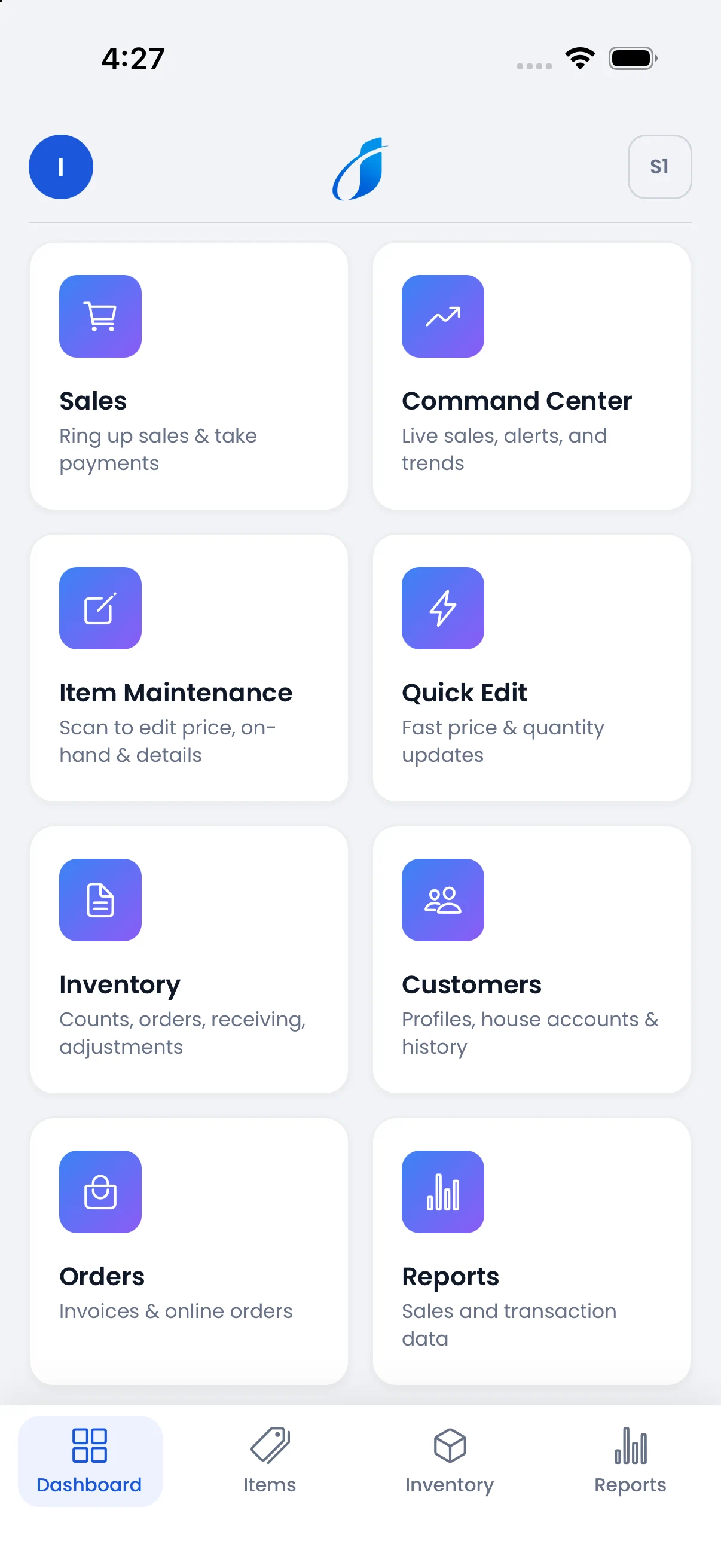
The Insight POS mobile app home screen — Sales, Command Center, Item Maintenance, Quick Edit, Inventory, Customers, Orders and Reports
Pocket Register $10/mo
Buy
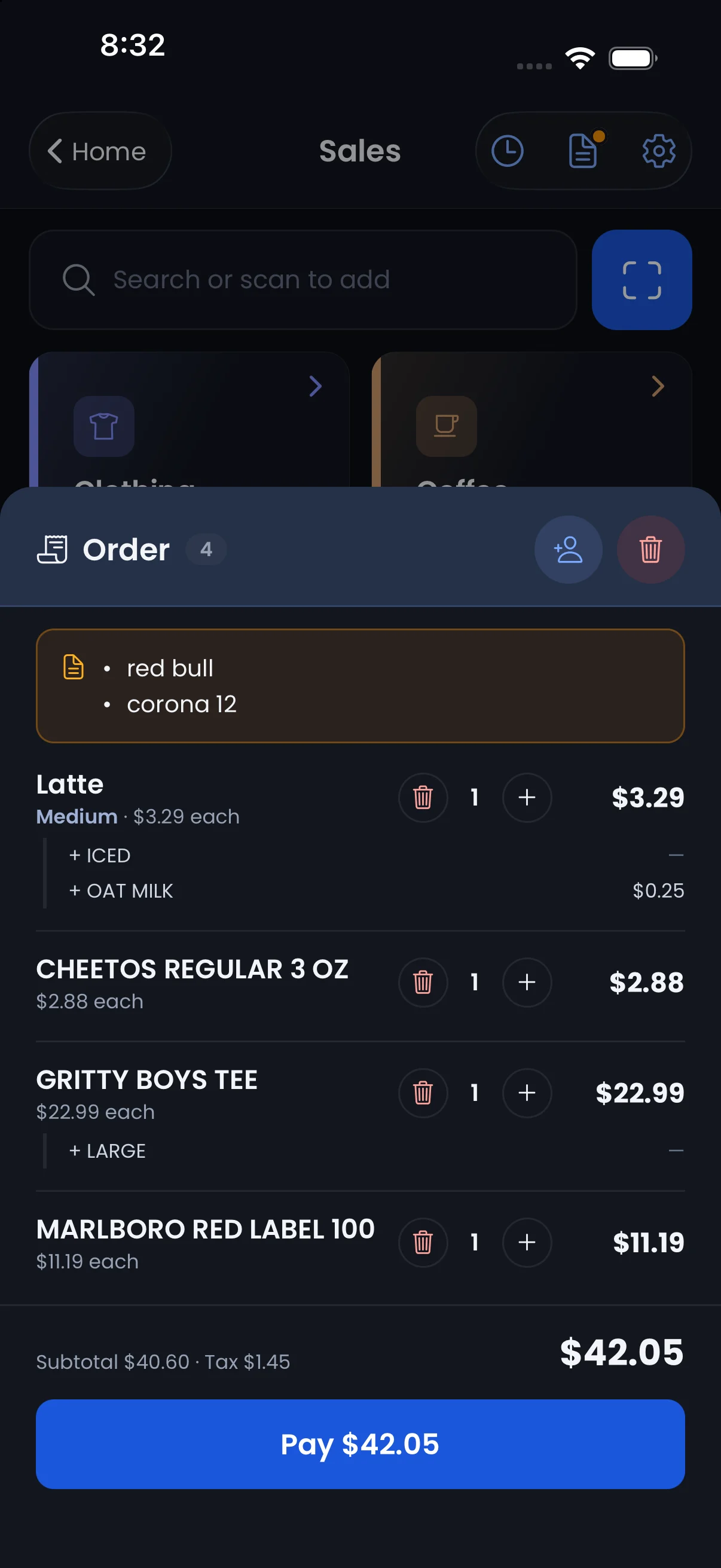
Pocket Register in dark mode, with an open order of a latte, chips, a tee and Marlboro and Pay $42.05
Pocket Register

A register
wherever the customer is.

Pocket Register is a sale mode in the app with tap to pay built in. It rings the same items, prices and promotions as the counter, and the sale lands in the same reports and the same deposit. Available now, for $10/mo. Run it on your own phone, or on the Dejavoo P8 we recommend for selling on the move.

  • Built for it: the Dejavoo P8
    A wireless Android terminal with a barcode scanner, a receipt printer and a card reader, all in one hand. $499.
  • Bust the line
    Friday night or the morning rush: ring the six-pack in the aisle, take the tap, and the customer walks.
  • The drive-thru window
    Ring it and take the tap at the car window, on the same price book as the counter.
  • Curbside and the door
    The case of water to the car, the order to the customer waiting outside.
  • Events and off-site
    Tastings, festivals, the farmers-market table, with your own price book and no second system.
  • One more lane
    The lane's full or a register's down? There's another one in your pocket.
Pocket Register

Tap, tap, tap to pay.

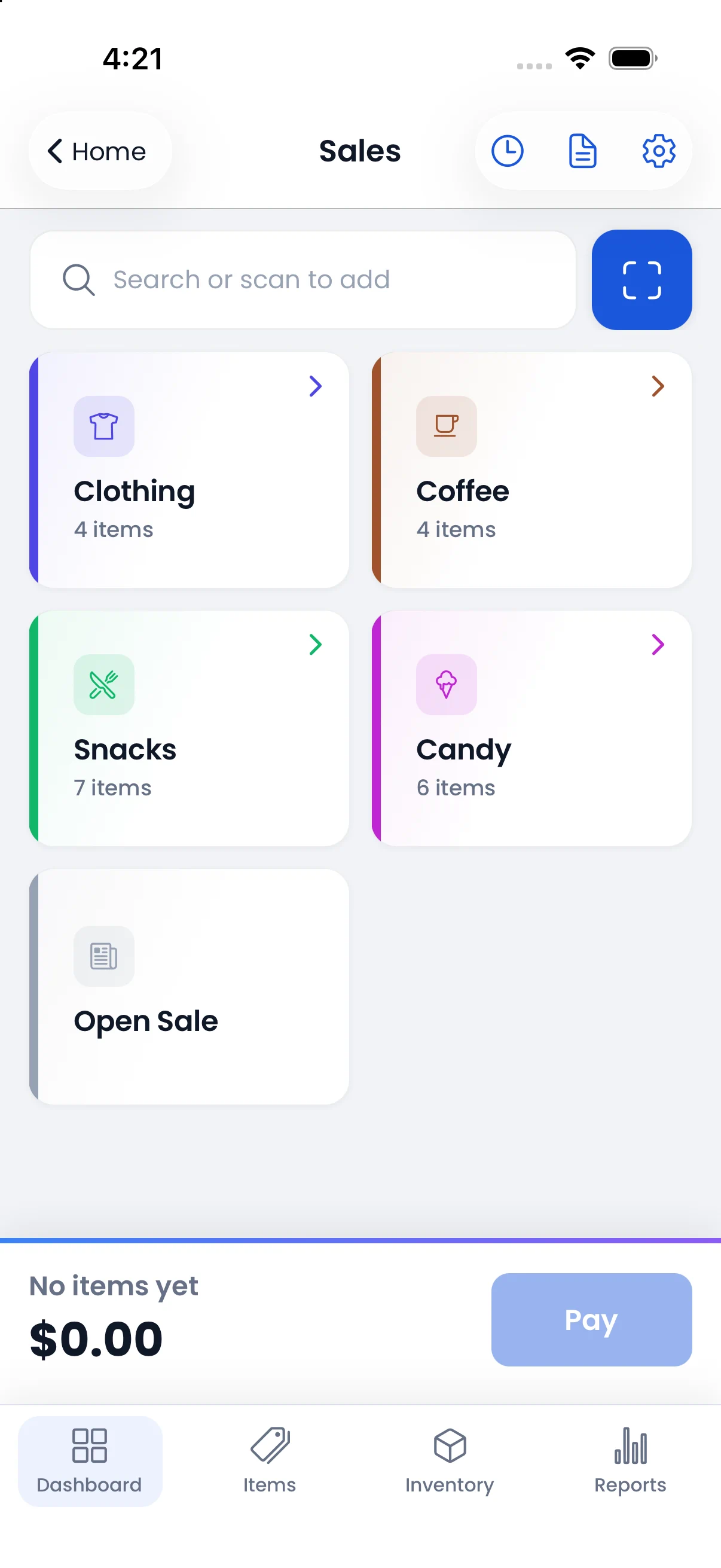
  1. Your categories

    Your categories

    Your departments as tiles, or scan the barcode.

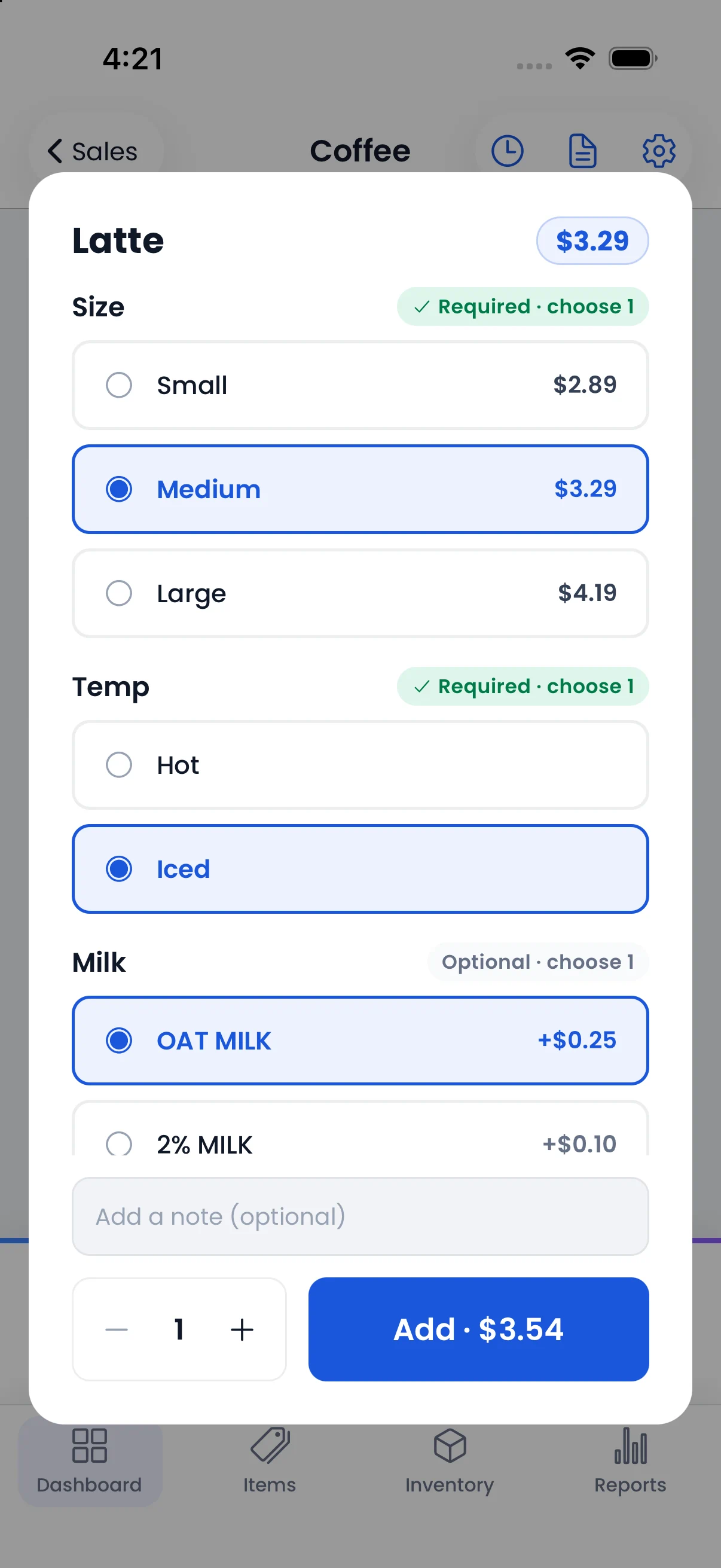
  2. Choices built in

    Choices built in

    Pick the size and the add-ons, each with its own price.

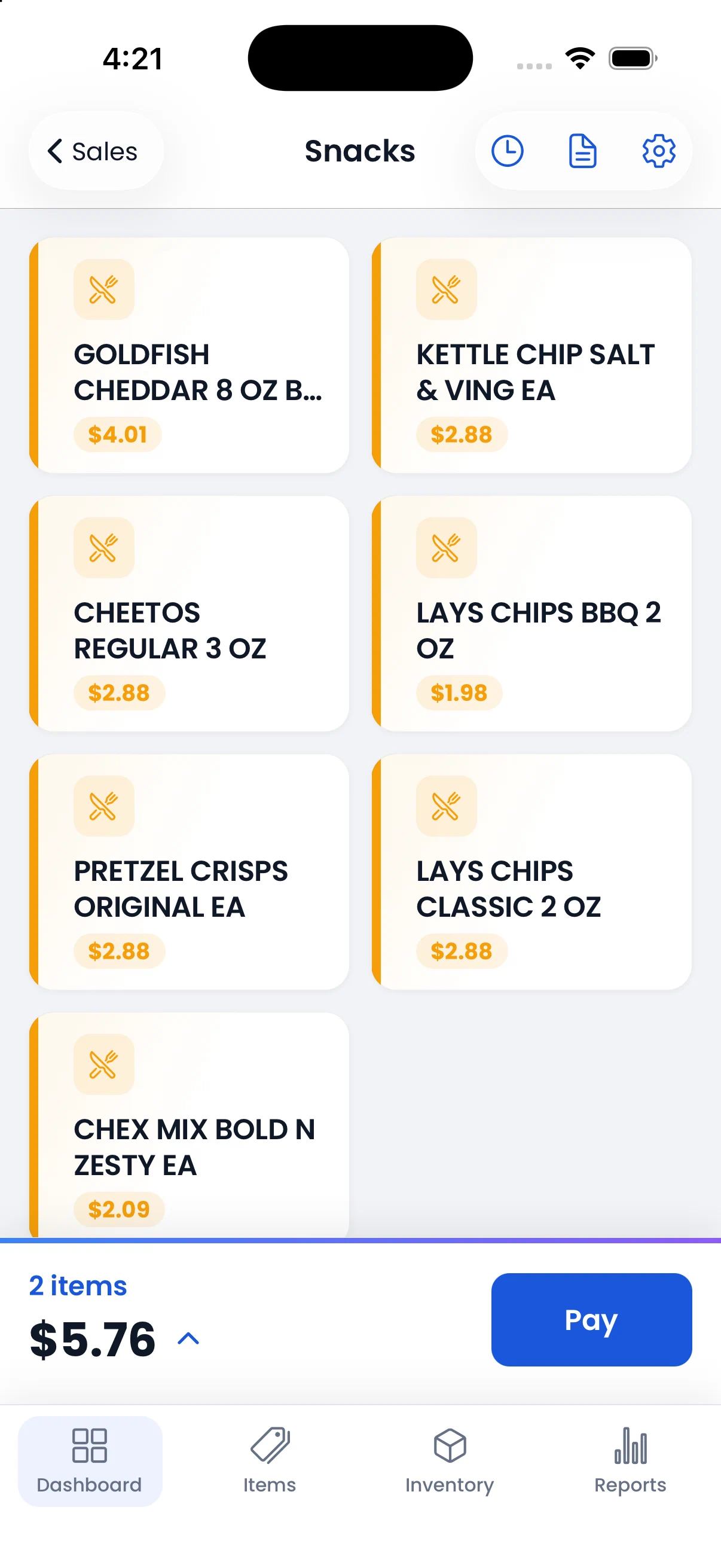
  3. Ring it up

    Ring it up

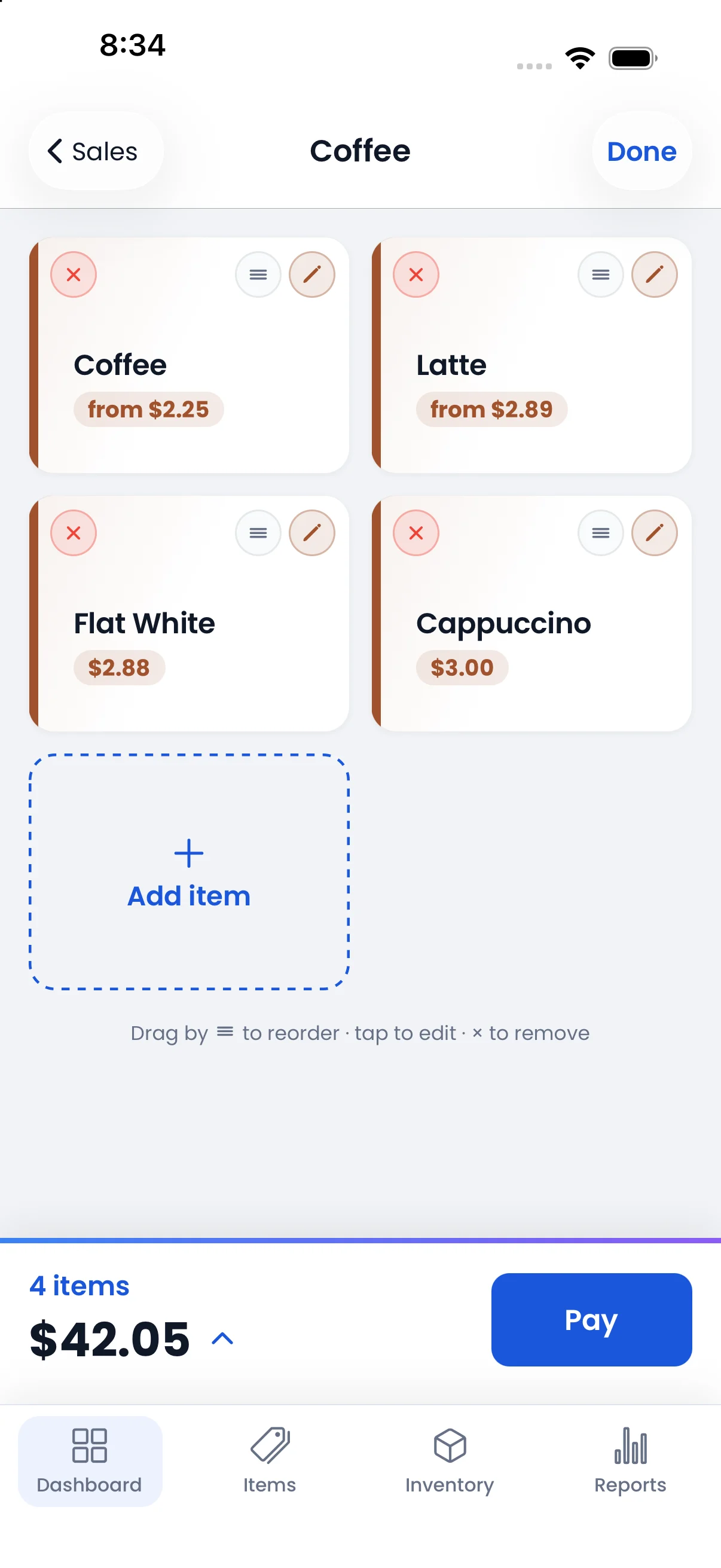
    Tap the items in, with the running total and Pay always in reach.

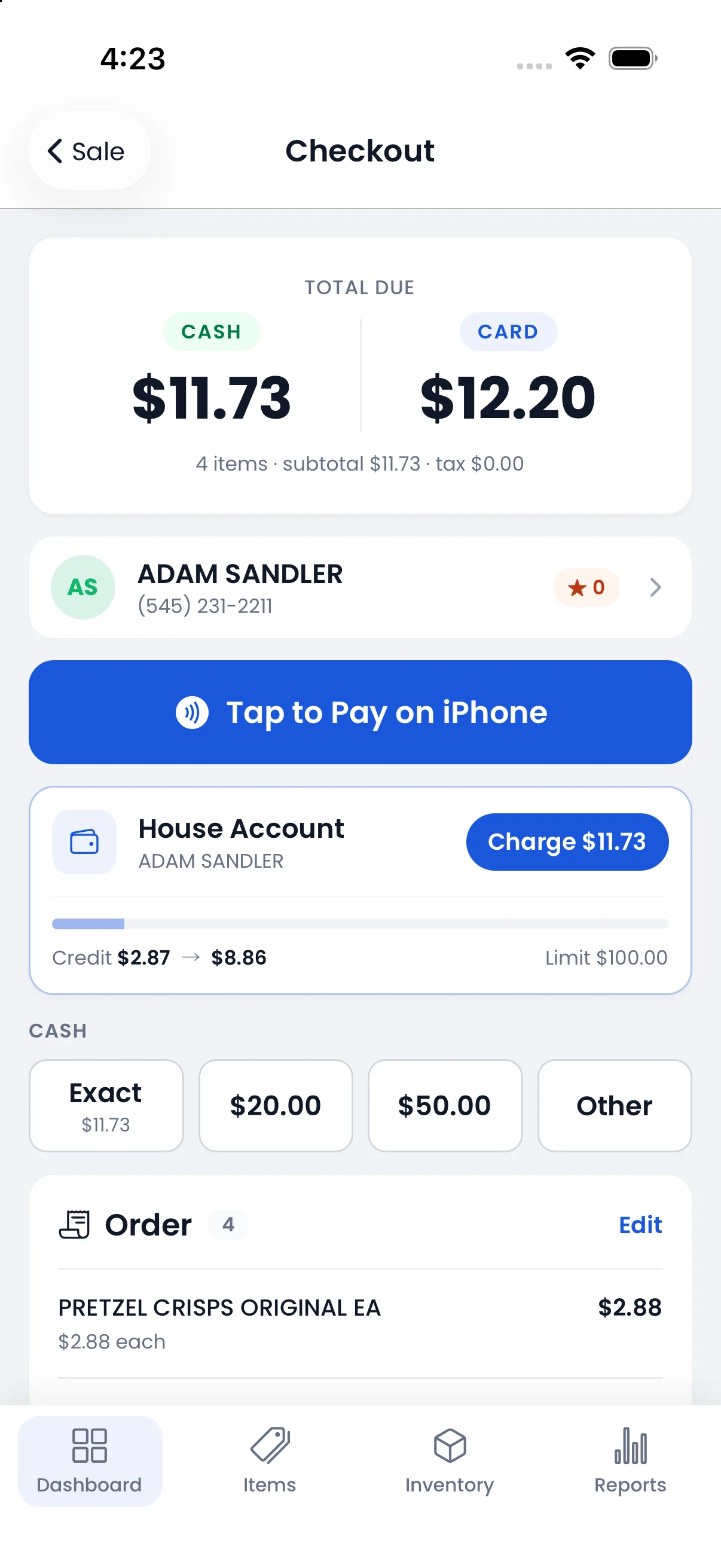
  4. Tap or charge it

    Tap or charge it

    Cash and card prices, tap to pay on the phone, or the customer's house account.

On a tablet too

A bigger screen
for the counter.

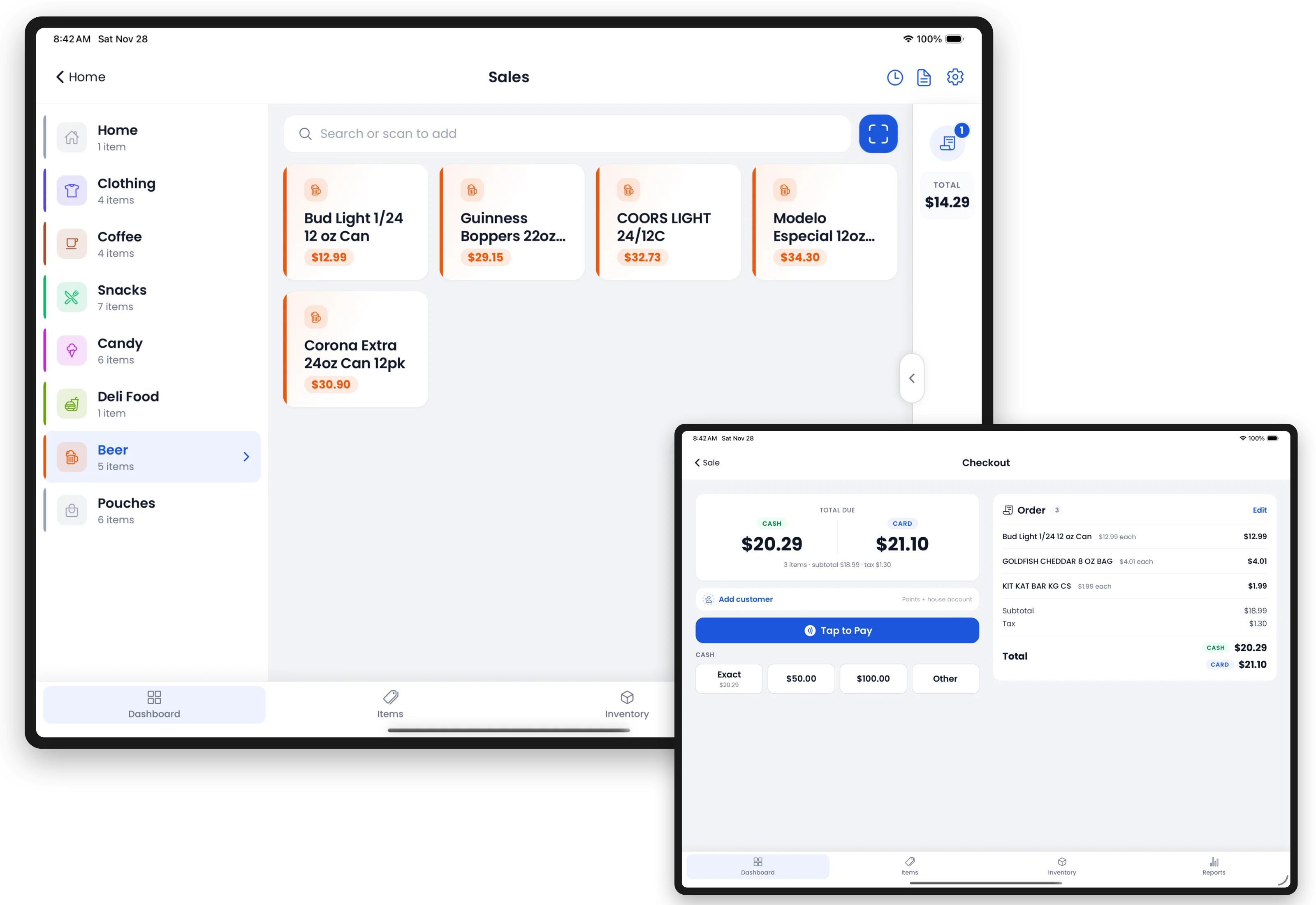
The same app on a tablet, iPad or Android: your categories down the side, the tiles across, and the total always in view. Check out with cash and card prices side by side, or tap to pay.

The Insight POS app on a tablet - the sale screen with beer tiles and the running total, and checkout with cash and card prices
  • Categories at a glance
    Every department down the side, one tap to its tiles.
  • The total in view
    The running total and Pay sit beside the tiles the whole sale.
  • Same everything
    Same items, prices and promotions as the counter and the phone.
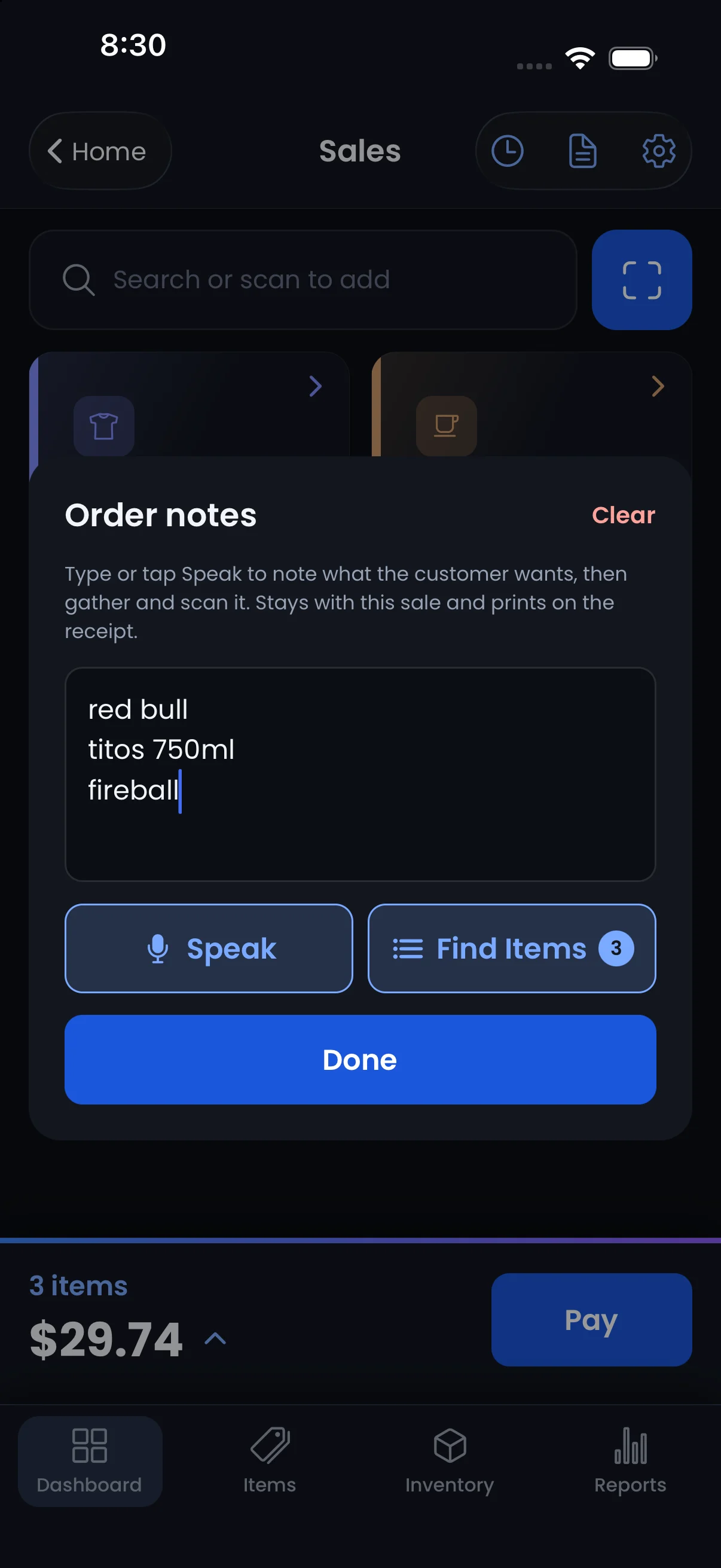
Order notes

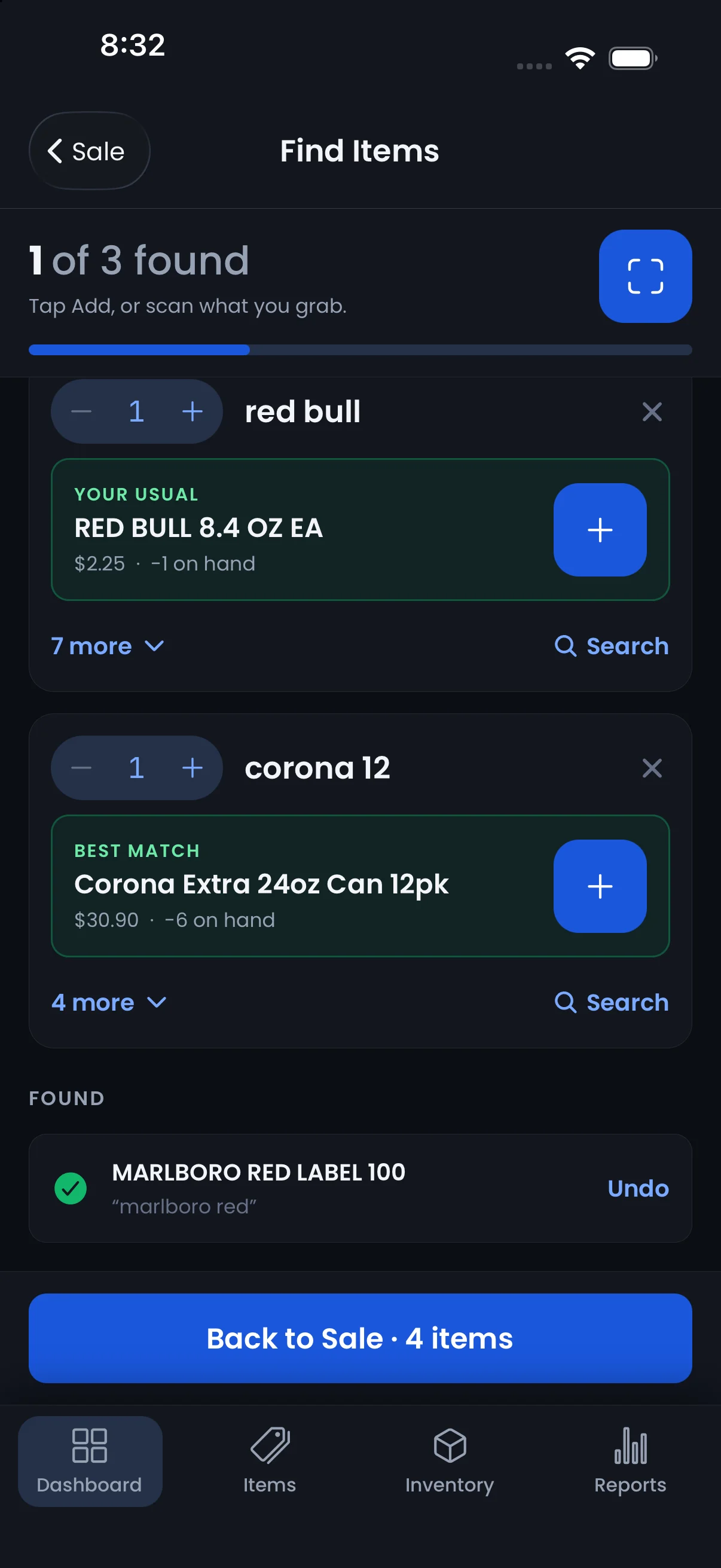
Say the order. Then grab it.

  1. Note what they want

    Note what they want

    Type it, or tap Speak and say it. The note stays with the sale and prints on the receipt.

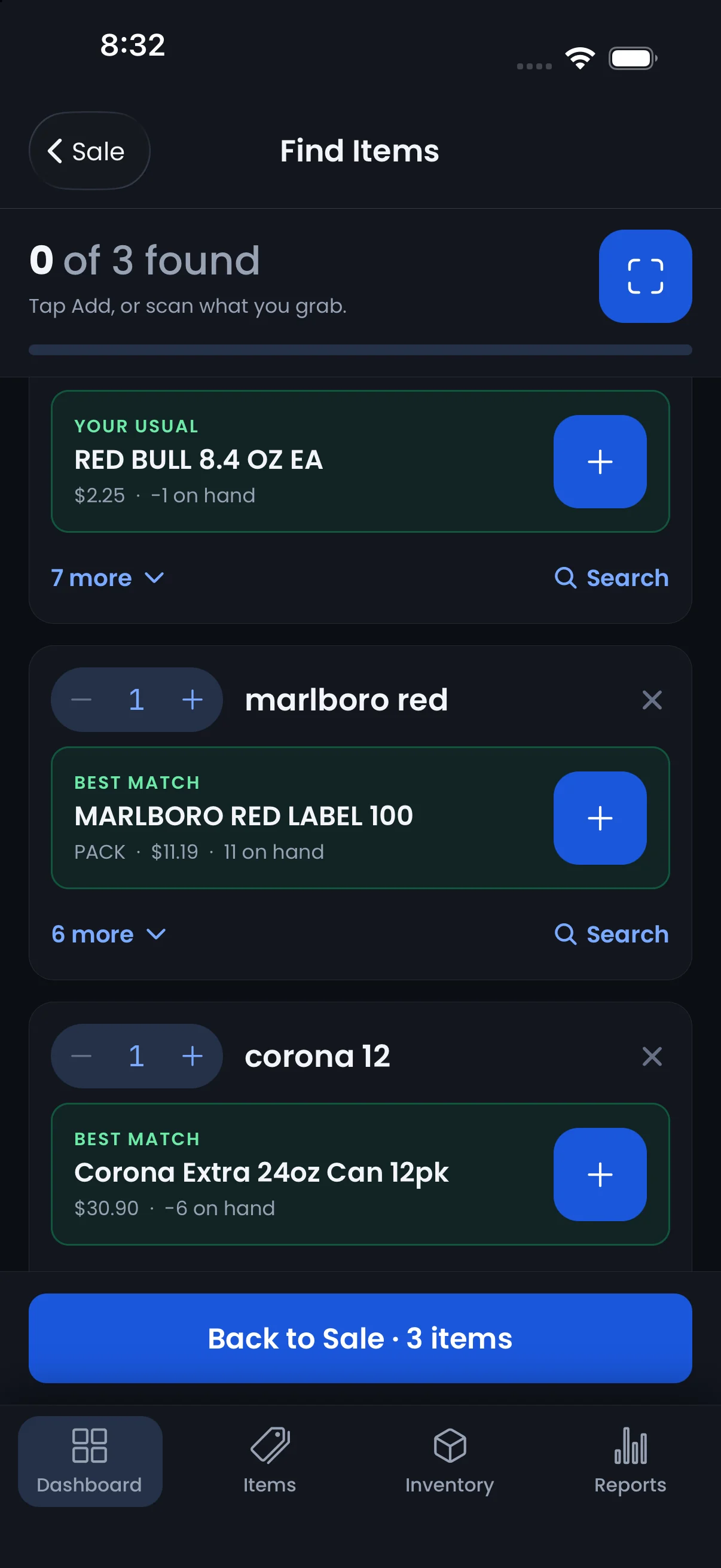
  2. It finds the items

    It finds the items

    Each line comes back as the item it means: their usual, or the best match.

  3. Add as you grab

    Add as you grab

    Set the quantity, tap add or scan what you pick up, and head back to the sale.

  4. Ready to pay

    Ready to pay

    The note rides on top of the order, every item rung, and Pay.

Your screen, your way

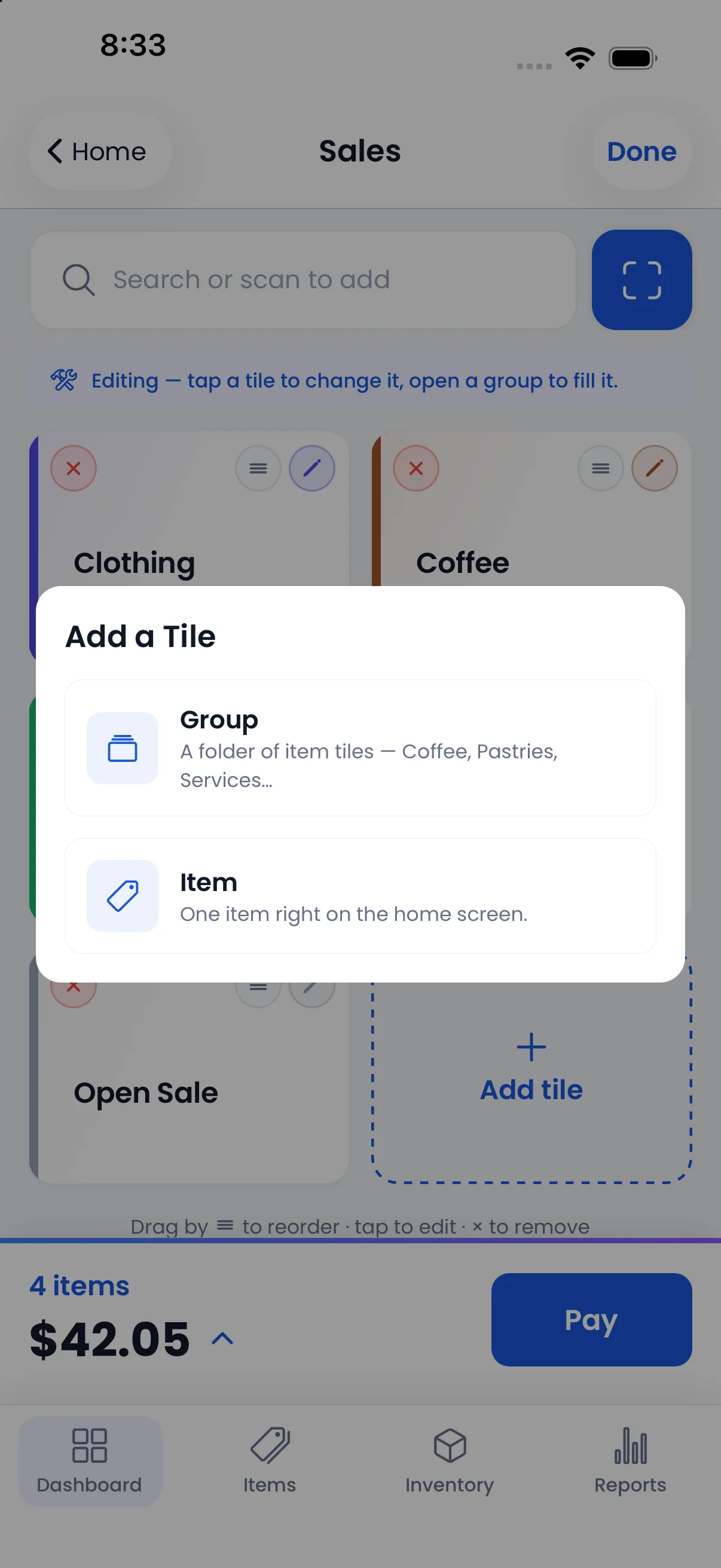
Set up the sale screen
from the phone.

  1. Add a tile

    Add a tile

    Tap Edit, then add a group for a whole department or one item right on the home screen.

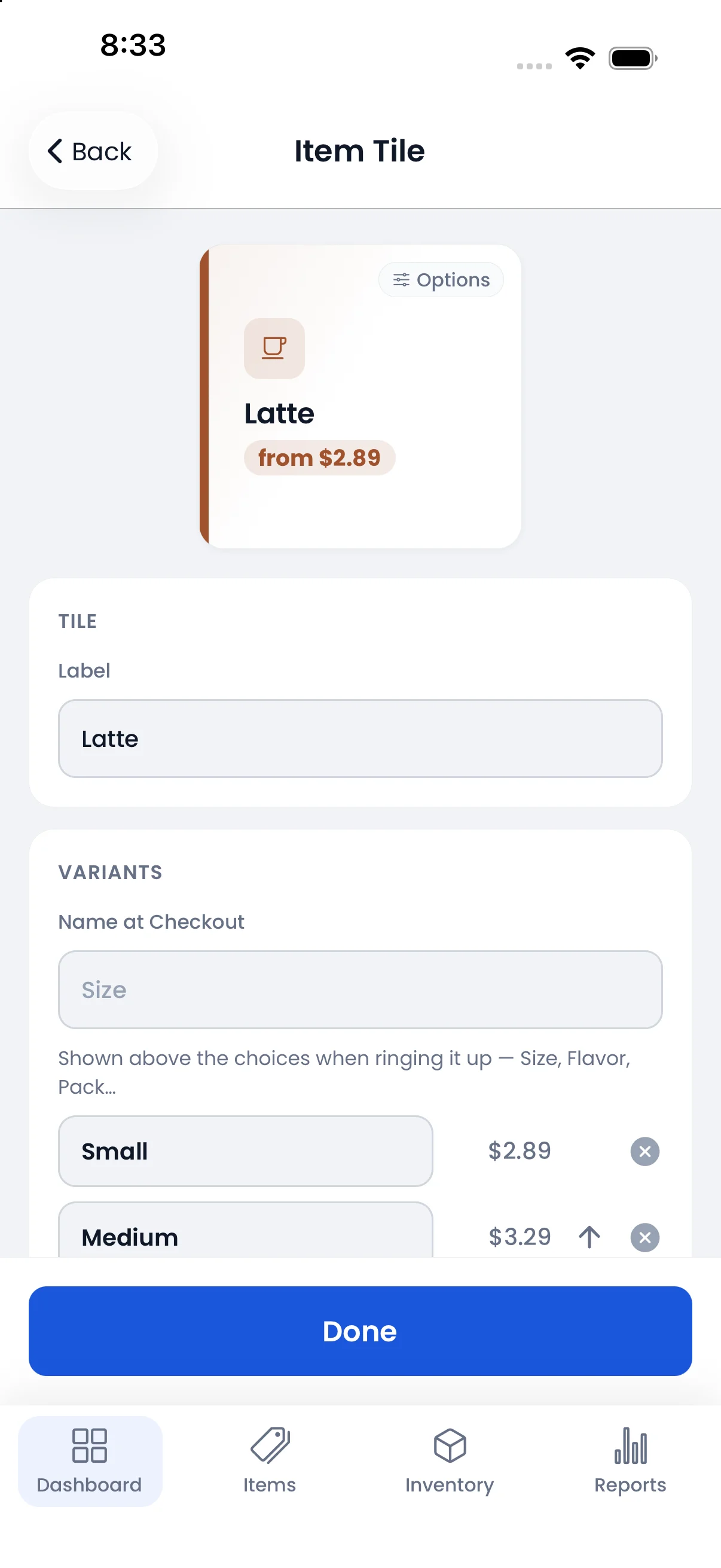
  2. Sizes and prices

    Sizes and prices

    Give the item its variants, each with its own price: small, medium, large.

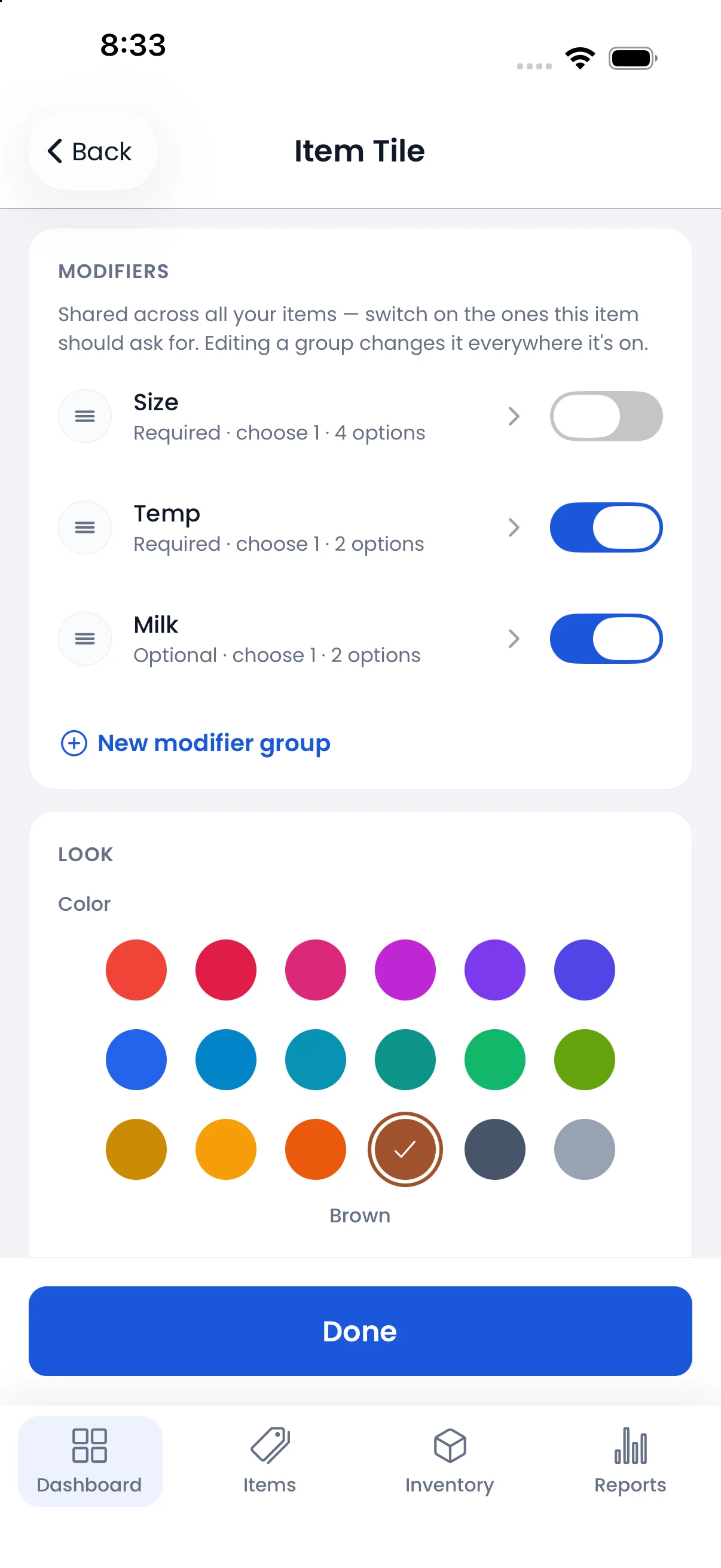
  3. Choices and color

    Choices and color

    Switch on the modifier groups it should ask for and pick the tile's color.

  4. Done

    Done

    Drag to reorder, tap to edit. The register screen is set.

A look inside

The whole store, one thumb away.

Real screens from the app: the same engine as the Cloud Back Office, tuned for the floor.

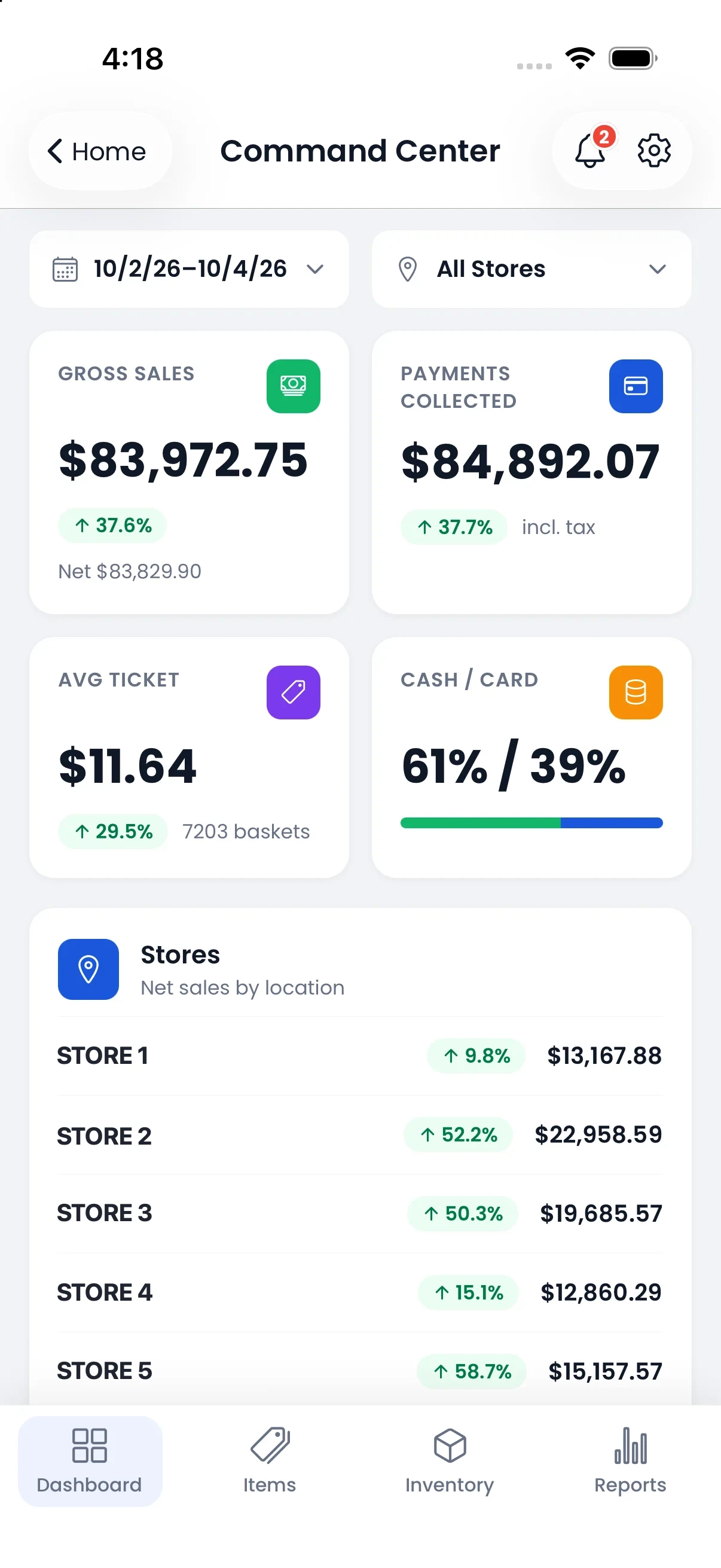
Command Center — gross sales, payments, average ticket, cash vs card and sales by store
Command Center
Gross sales, payments, average ticket, and cash-vs-card — every store, live, the moment you open the app.
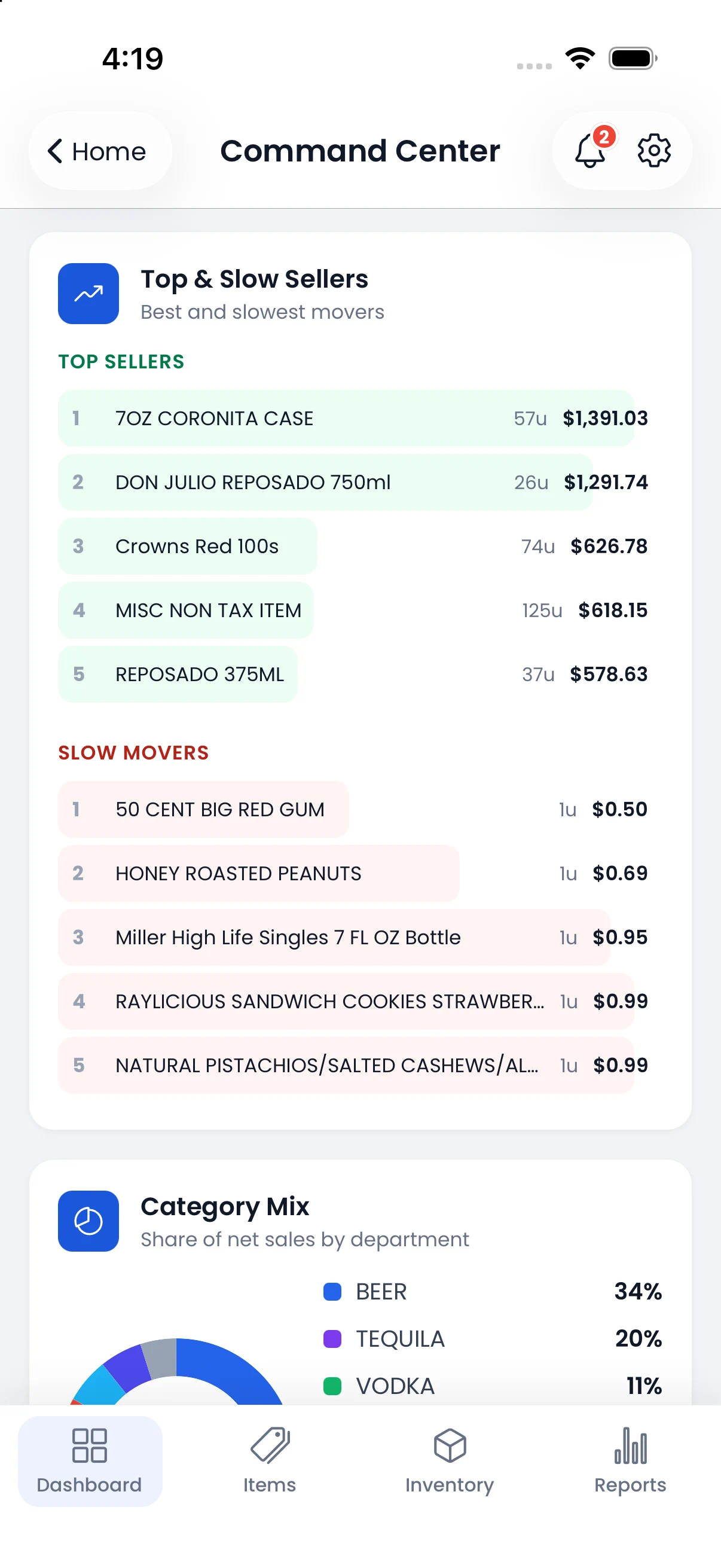
Top and slow sellers with category mix
Top & Slow Movers
Your best and slowest sellers and the category mix, so you know what to reorder and what to cut.
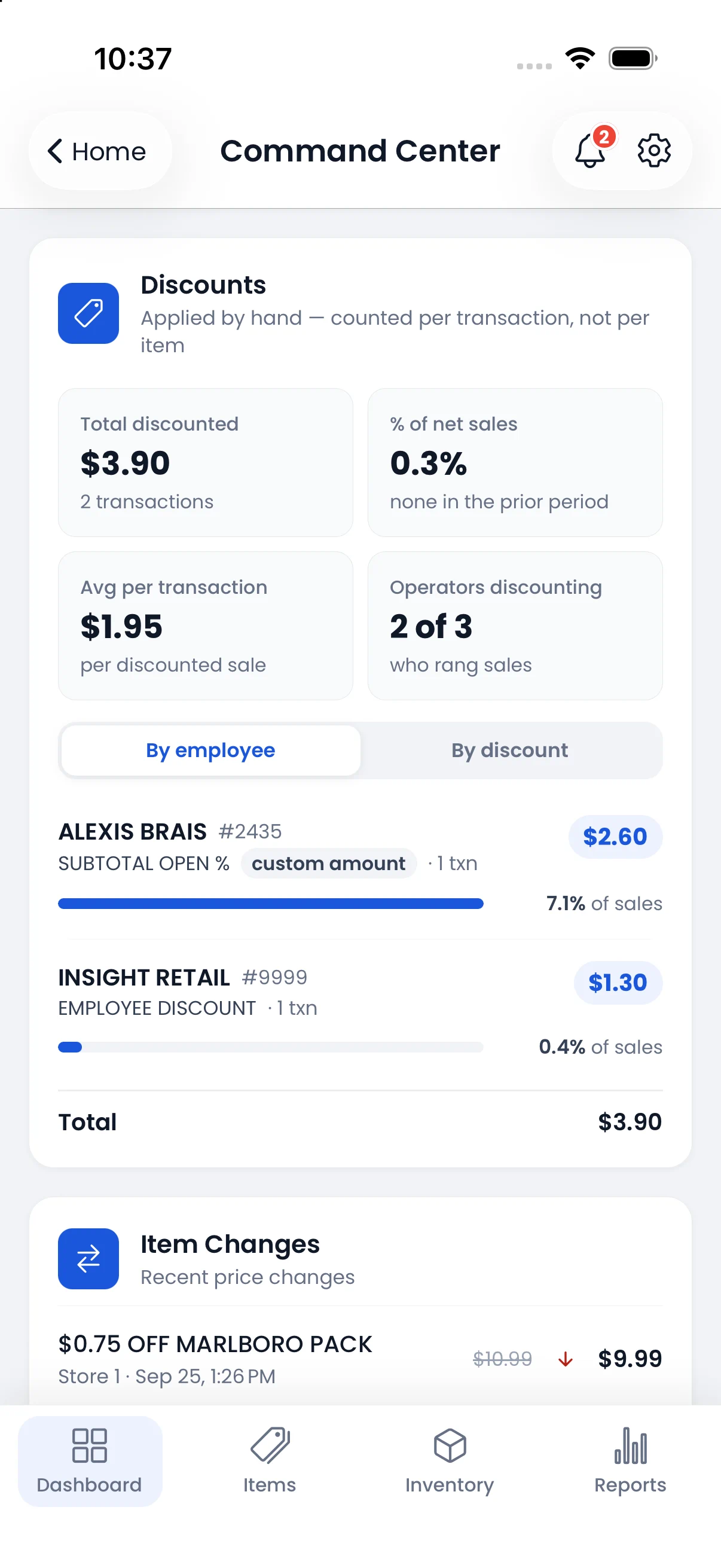
Discounts in Command Center — total discounted, share of net sales, and who gave them, by employee
Discounts
Every discount, who gave it and what it cost you, so a habit at the counter shows up before it adds up.
Pocket Register — ringing a sale from category tiles, with the running total and Pay
Pocket Register
Ring a sale from your own categories, take the tap, and it lands in the same reports as the counter.
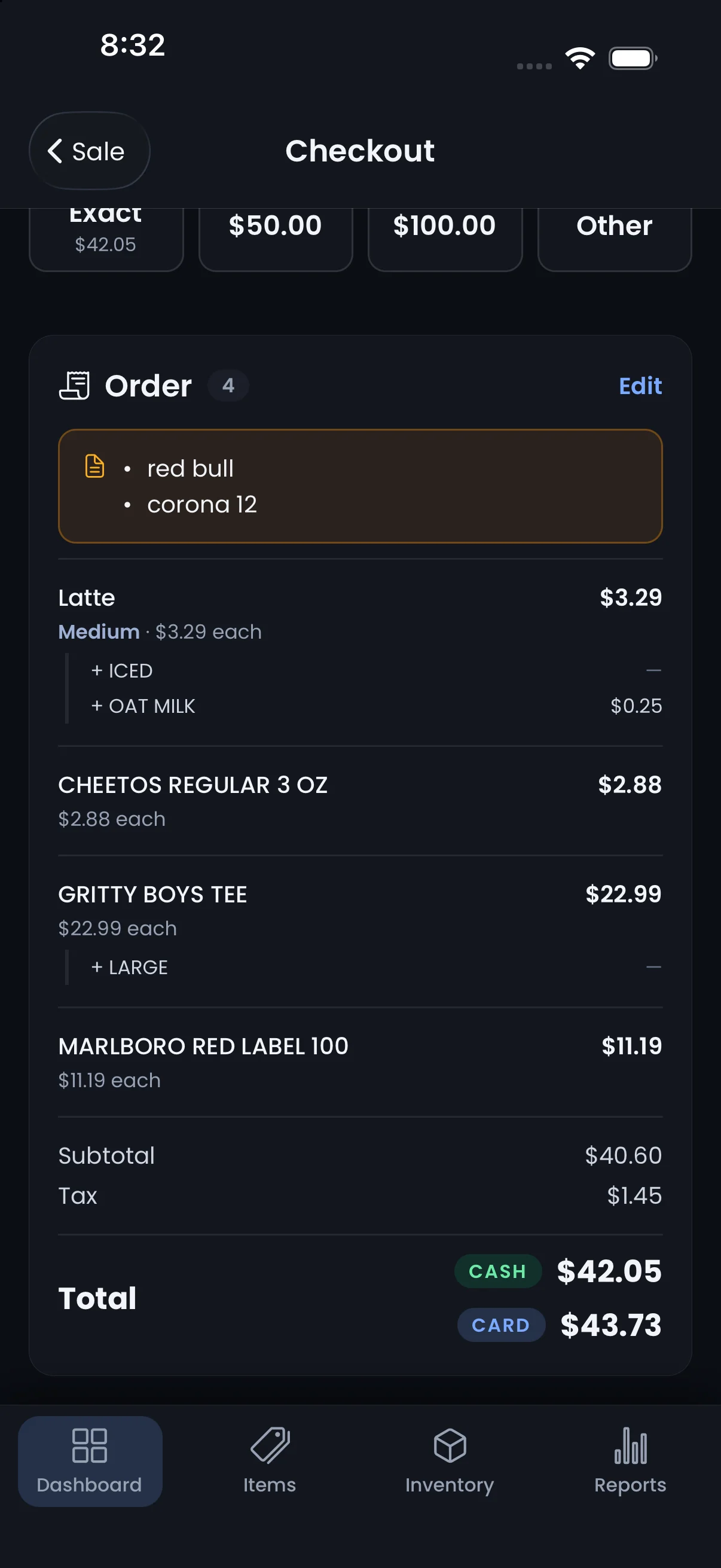
Pocket Register checkout in dark mode, with the order and cash and card totals
Dark mode
The whole app follows your phone into dark mode, easy on the eyes at the night counter.
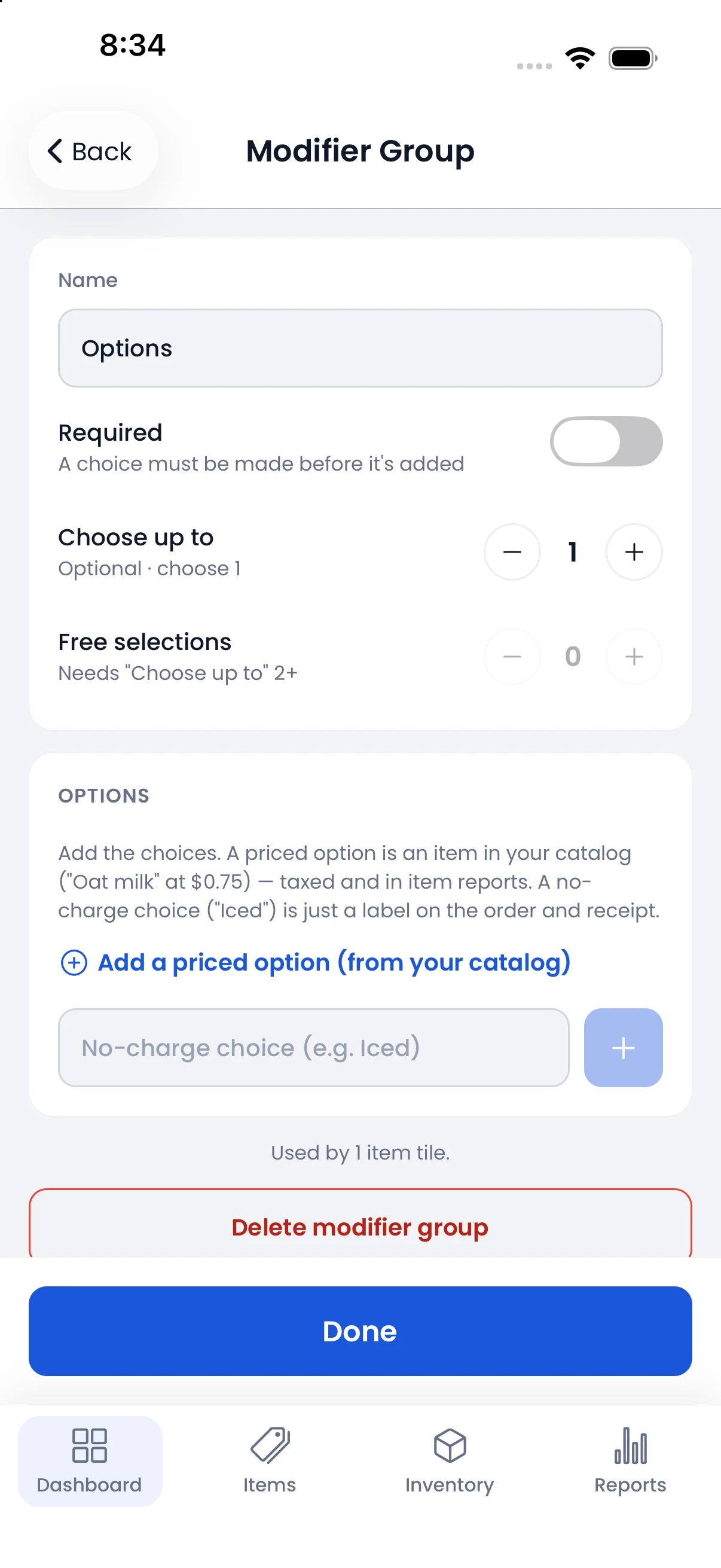
Editing a modifier group - required or optional, how many choices, priced options from your catalog
Modifier groups
Required or optional, how many they can pick, and priced options that come straight from your catalog.
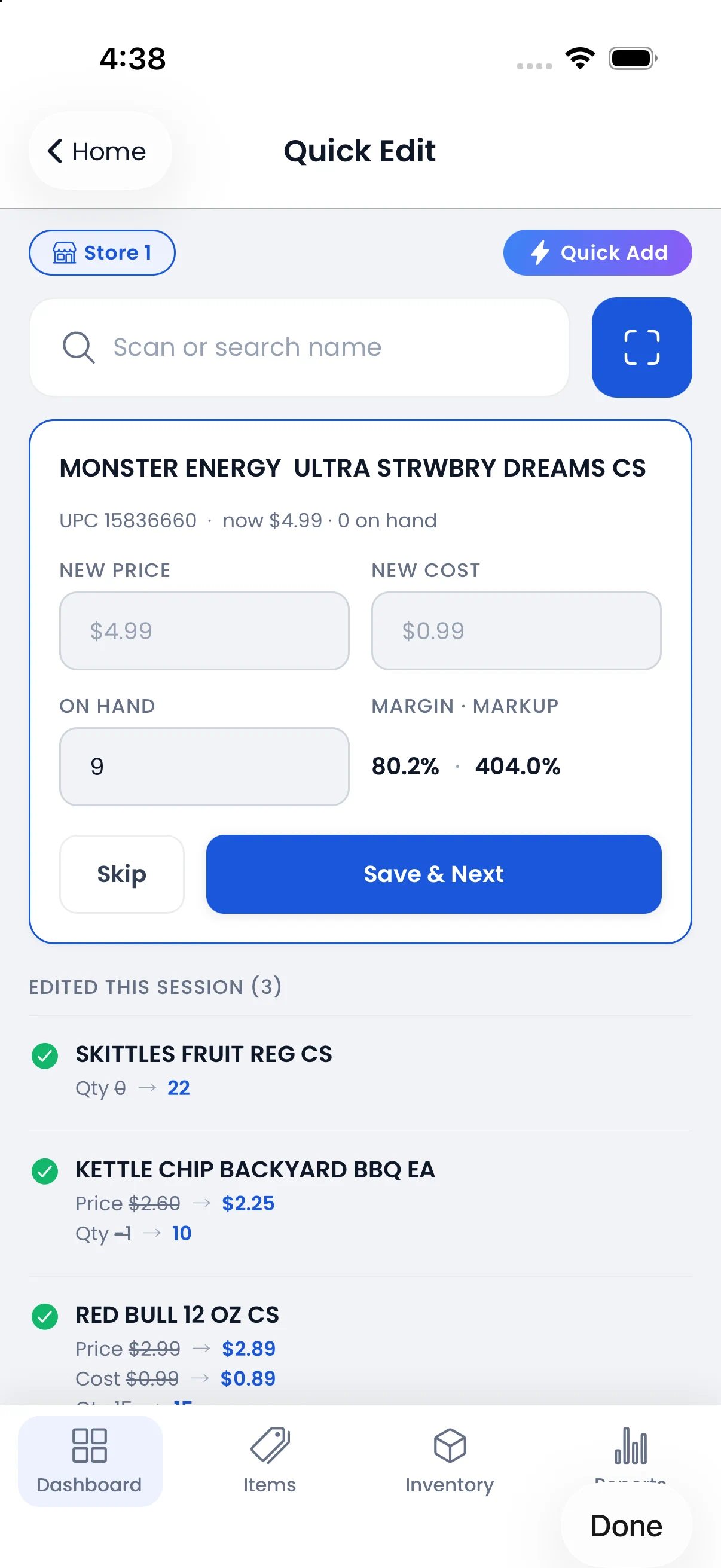
Quick Edit price, cost, and quantity changes with margin and markup
Quick Edit
Change price, cost, or count at the shelf. Every edit this session is tracked, and pushes to the POS.
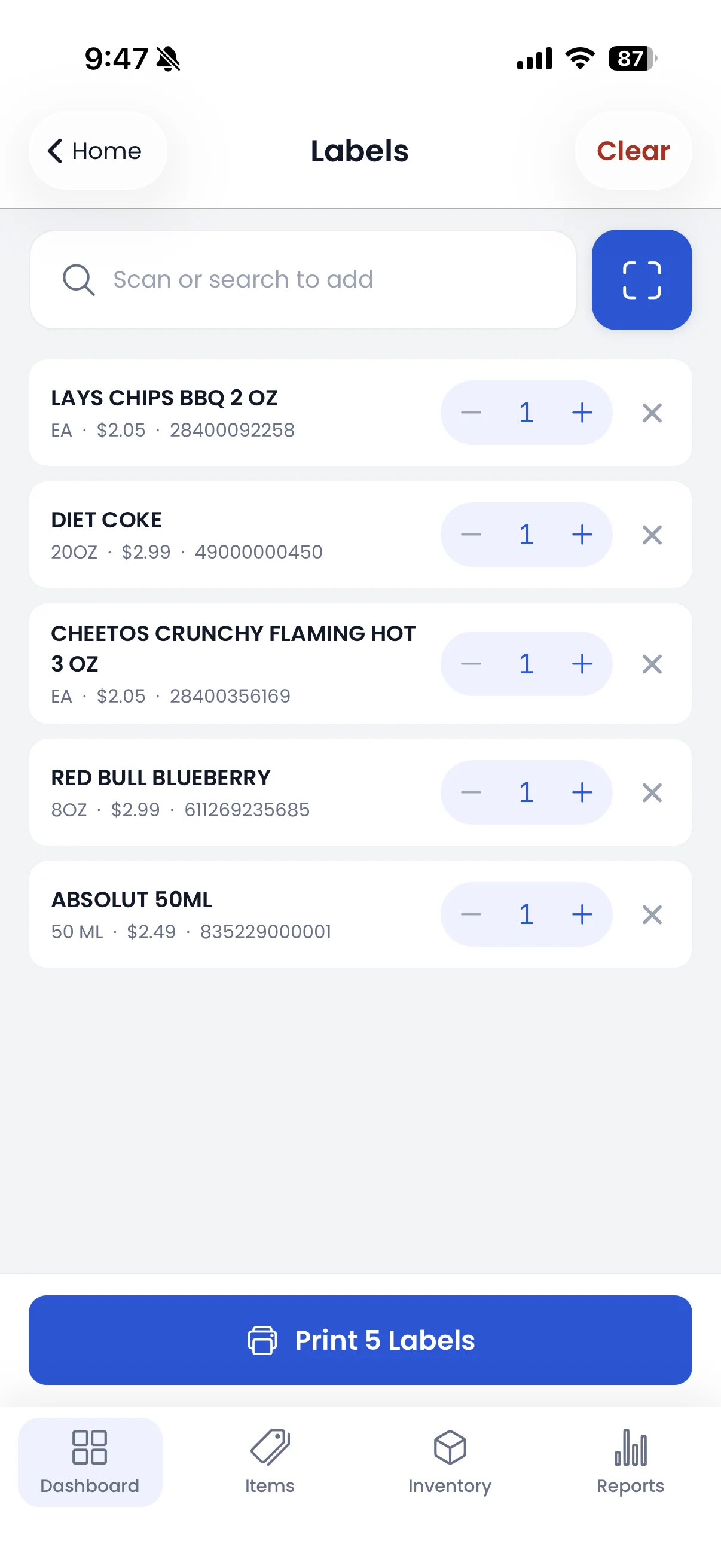
Five shelf labels queued on the phone, ready to print
Labels
Scan the shelf, queue the labels and print them, without walking back to the counter.
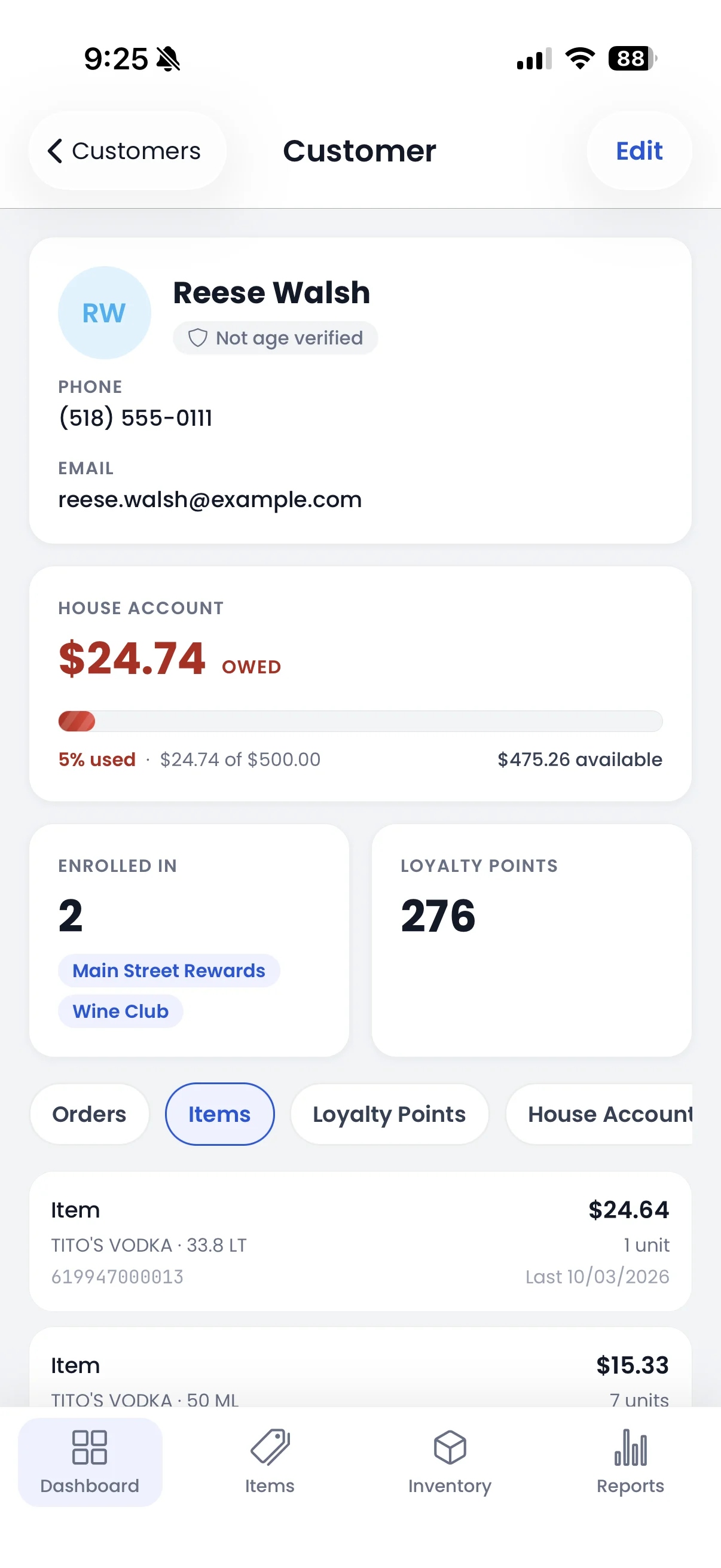
A customer record on the phone — house account balance, credit limit and orders
Customers
Look up any customer, see what they owe on their house account, and every order they've placed.
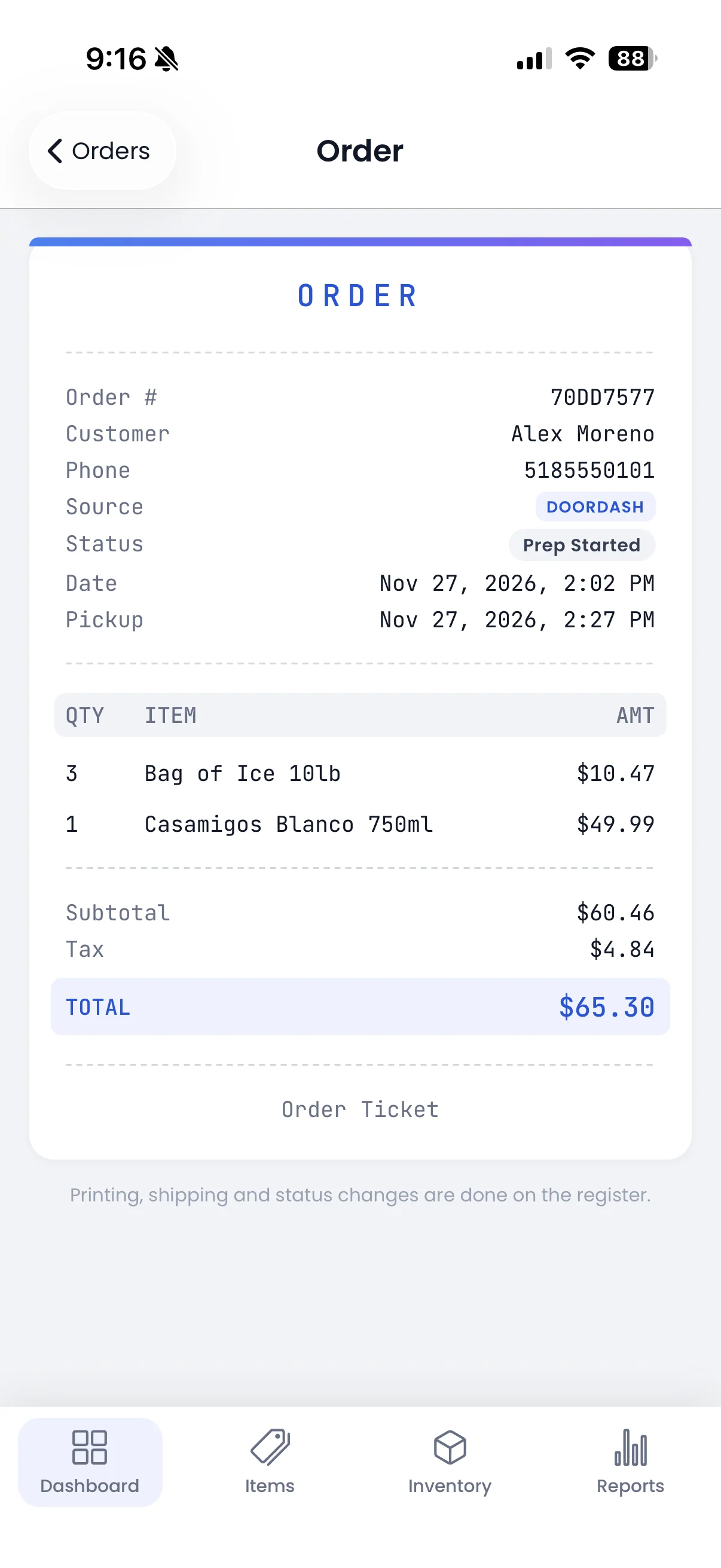
An online order ticket on the phone — source, status, pickup time, items and total
Online Orders
DoorDash, Uber Eats and Grubhub orders with every item, the pickup time and where it stands.
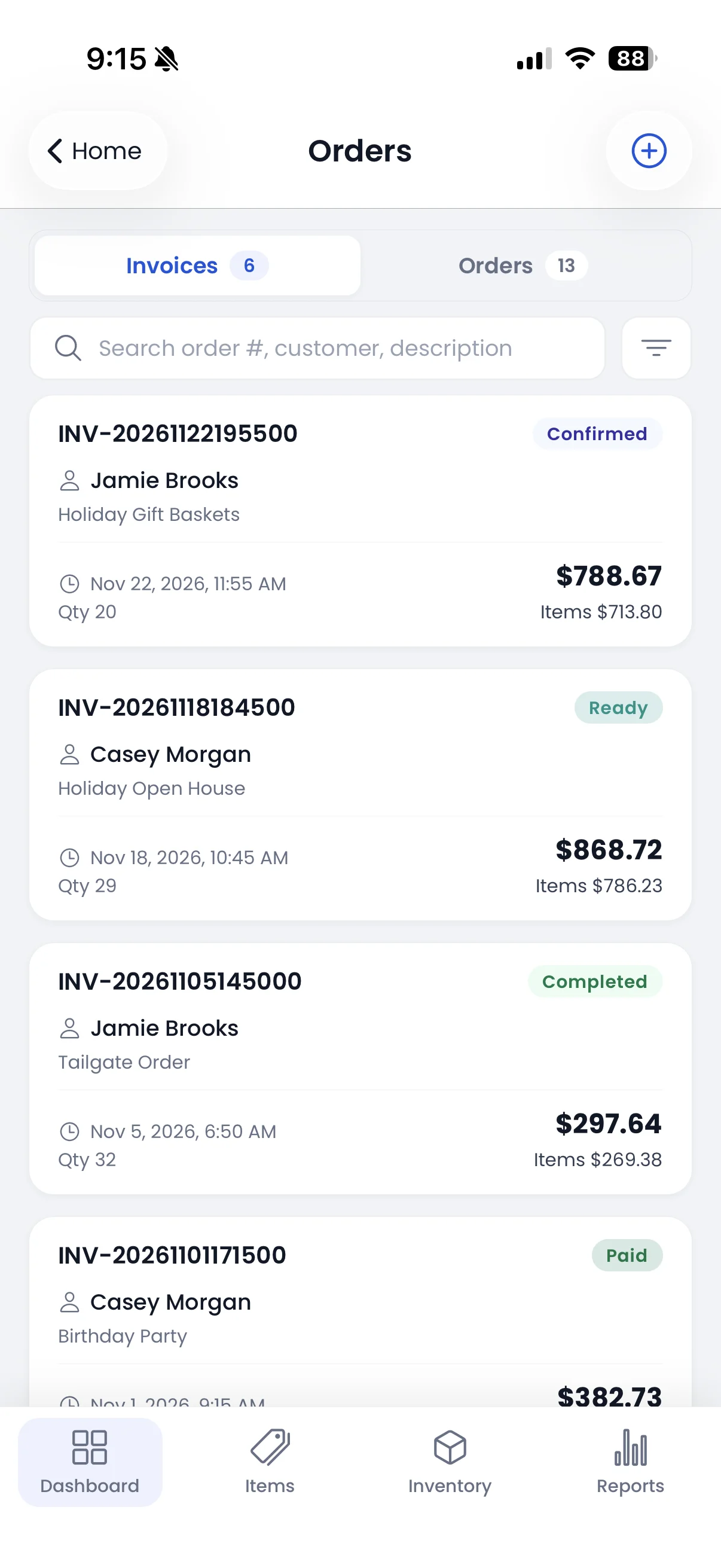
Customer invoices on the phone - holiday gift baskets, an open house and a tailgate order, each with its status and total
Customer Invoices
Party orders and wholesale invoices with their status and total, from confirmed to paid.
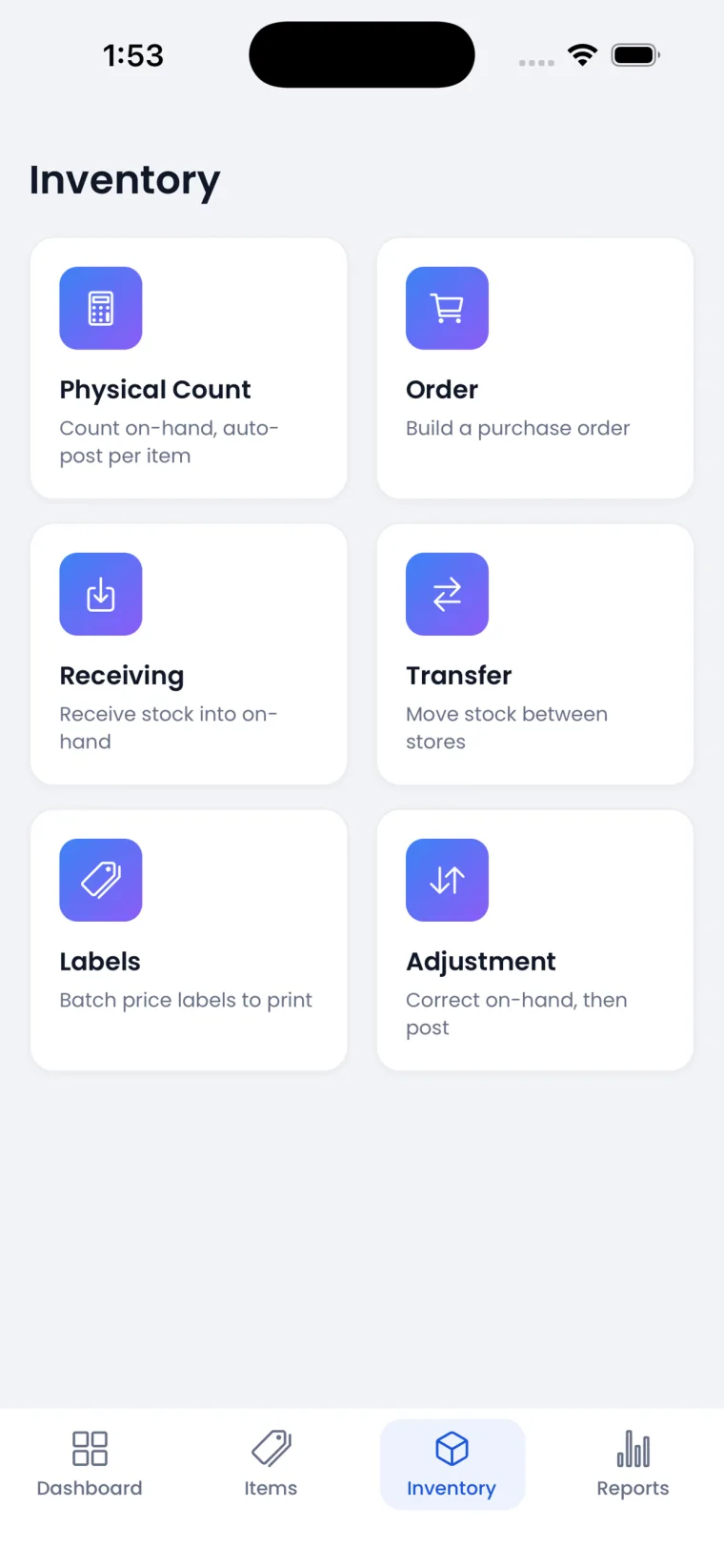
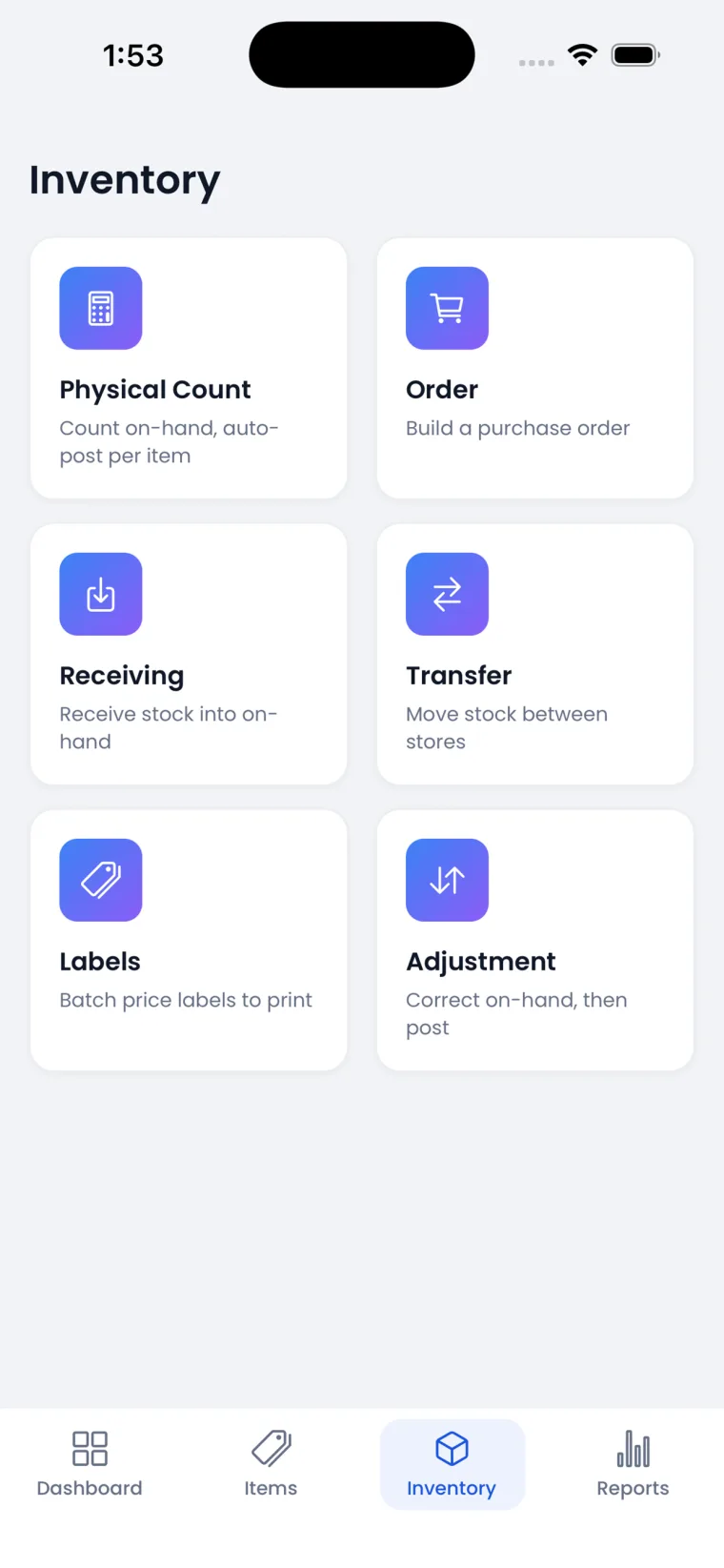
Inventory hub — counts, orders, receiving, transfers, labels, adjustments
Full Inventory
Physical counts, orders, receiving, store-to-store transfers, adjustments, and print-label batches.
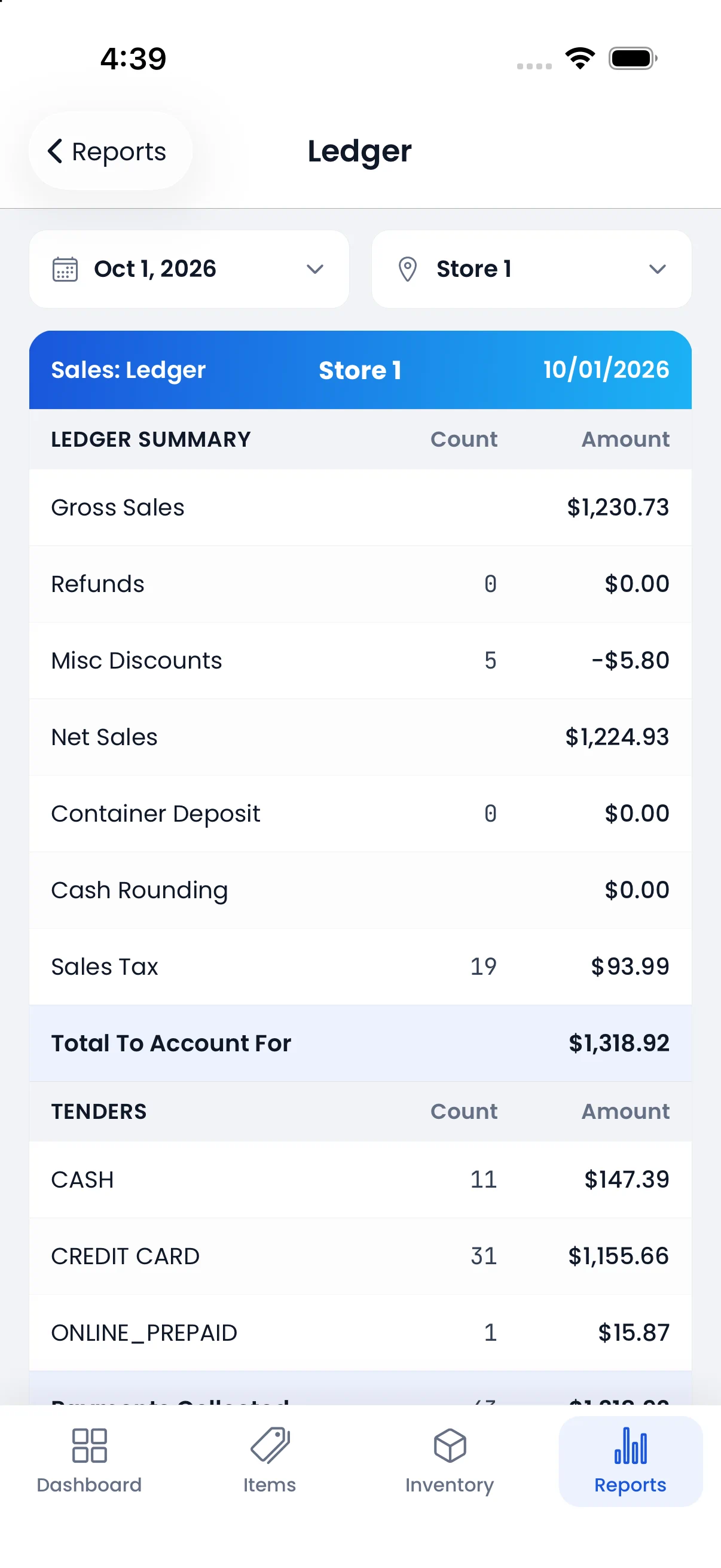
Daily sales ledger report — sales, refunds, discounts, tax and tenders
Reports to Go
The daily ledger — sales, discounts, tax, and tenders — for any store, any day, away from the counter.

Swipe to explore →

Quick Edit repricing on the Insight POS mobile app
Pricing

Reprice at the shelf,
one store or all of them.

  • Quick-price mode
    The cursor jumps Scan → Price with no screen tap, so prices change as fast as you can scan down a shelf.
  • See the margin before you commit
    Current and potential margin, markup, and profit show right on screen — a pricing mistake never makes it in.
  • Push to one store or all of them
    Change a price at the store you're standing in, or send it to every store you run — from the handheld, on the spot.
  • Add items on the spot
    Scan something you don't carry yet and add it in seconds, pre-filled from the master product catalog.
  • Full item maintenance
    Edit price, cost, and details on the floor; changes push to the POS immediately.
The Inventory hub on the Insight POS mobile app
Inventory

The whole inventory toolkit,
not just counts.

  • Physical counts, continually
    Count the whole store or a single shelf any time of day. Live inventory means counts are accurate whenever you take them, so shrinkage surfaces fast.
  • Orders & receiving
    Build a purchase order or receive a delivery at the back door — order in units or cases, and the app remembers your choice as you scan down the shelf.
  • Store-to-store transfers
    Move stock between locations from your hand, and keep every store's on-hand honest.
  • Adjustments & print labels
    Correct on-hand and post it, then queue a batch of price labels to print — all from the same app.
  • Searchable vendor list
    An alphabetized, searchable vendor list when you're building orders or receiving, so the right supplier is one tap away.
Inventory on the phone

The week's stock, and the invoices, in hand.

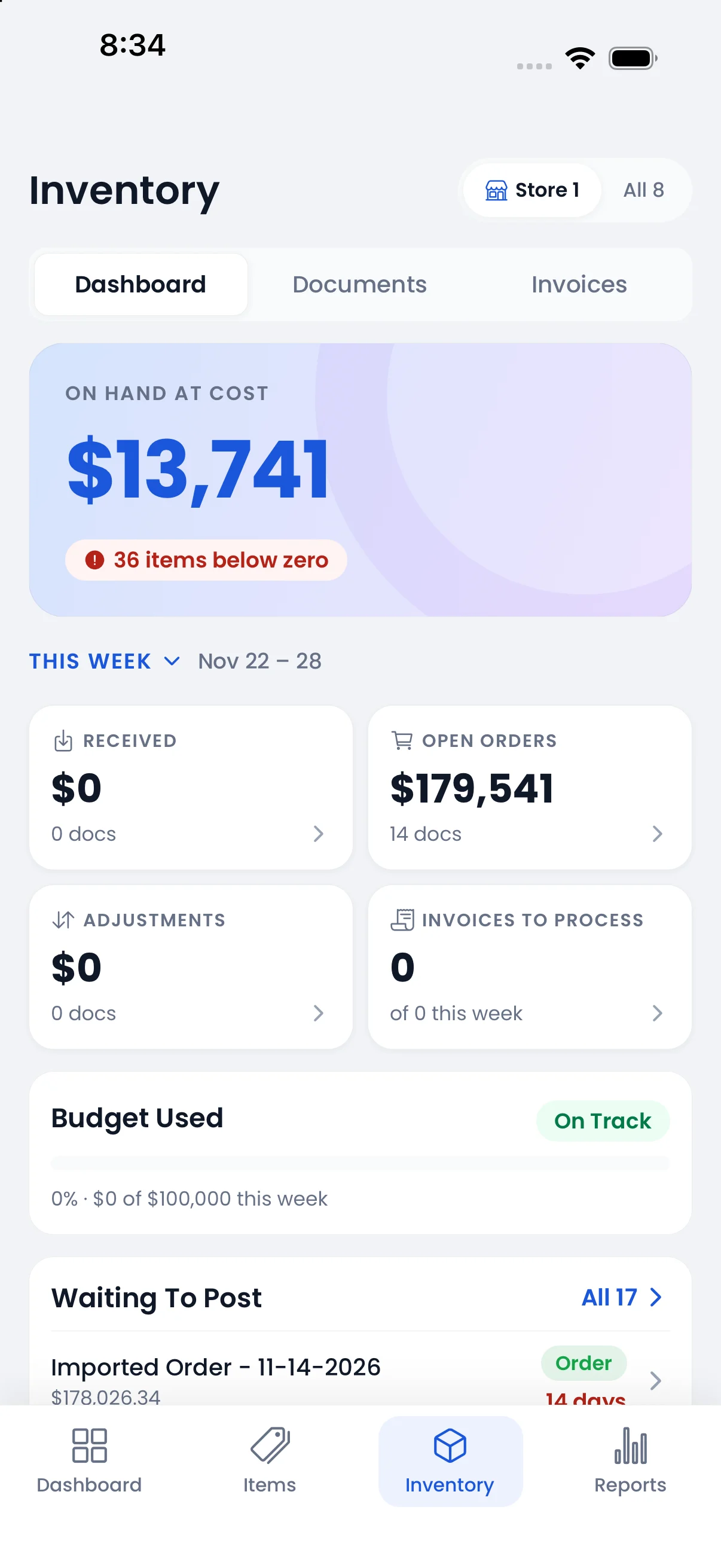
  1. On hand at cost

    On hand at cost

    What's on the shelf at cost, items below zero, open orders and this week's budget.

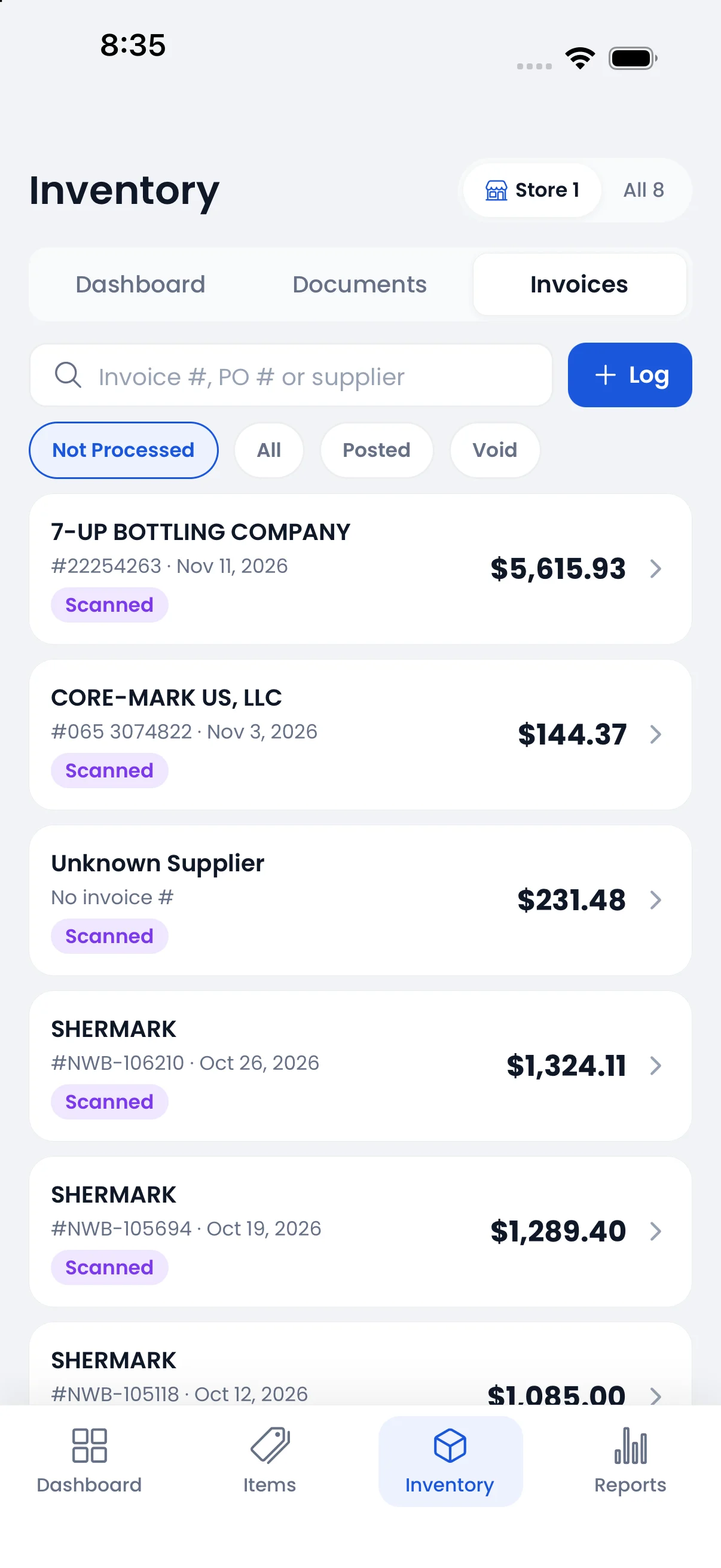
  2. Every invoice

    Every invoice

    What's come in by supplier, and what still needs processing.

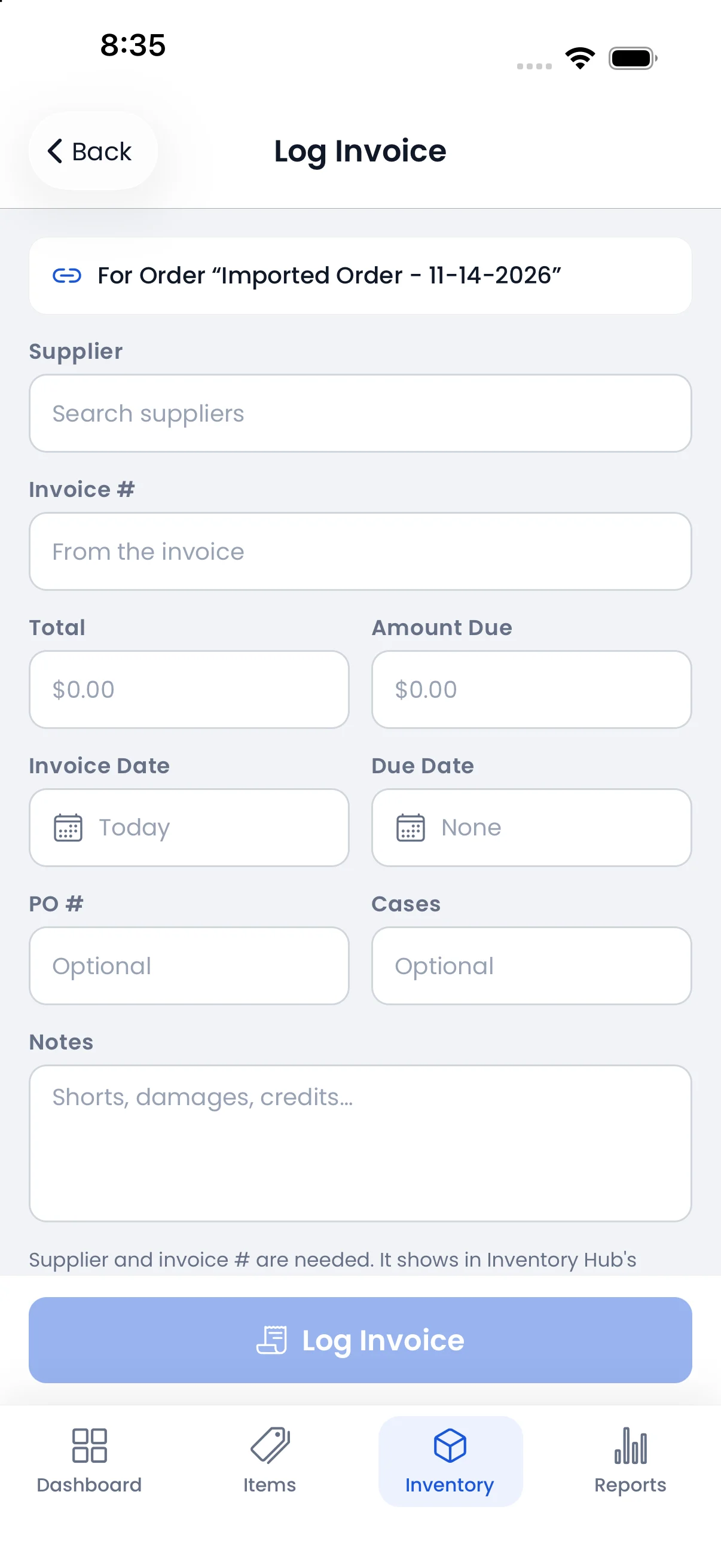
  3. Log it at the door

    Log it at the door

    The driver's at the back door: log the invoice against the order before it's gone.

Command Center reporting on the Insight POS mobile app
Reporting

Know the day,
from anywhere.

  • Command Center
    Gross sales, payments collected, average ticket, and the cash-vs-card split — live, across every store or one.
  • Top movers and category mix
    See your best and slowest sellers and the share of sales by department, so buying decisions are grounded in what's actually moving.
  • The daily ledger
    Sales, refunds, discounts, tax, and every tender for any store and any day — the full Retail Transaction detail while you're away from the counter.
  • Always know your store
    The active store is shown on-screen, so multi-store operators always know exactly which location they're looking at.
Built for the floor

Made for real work,
on real handhelds.

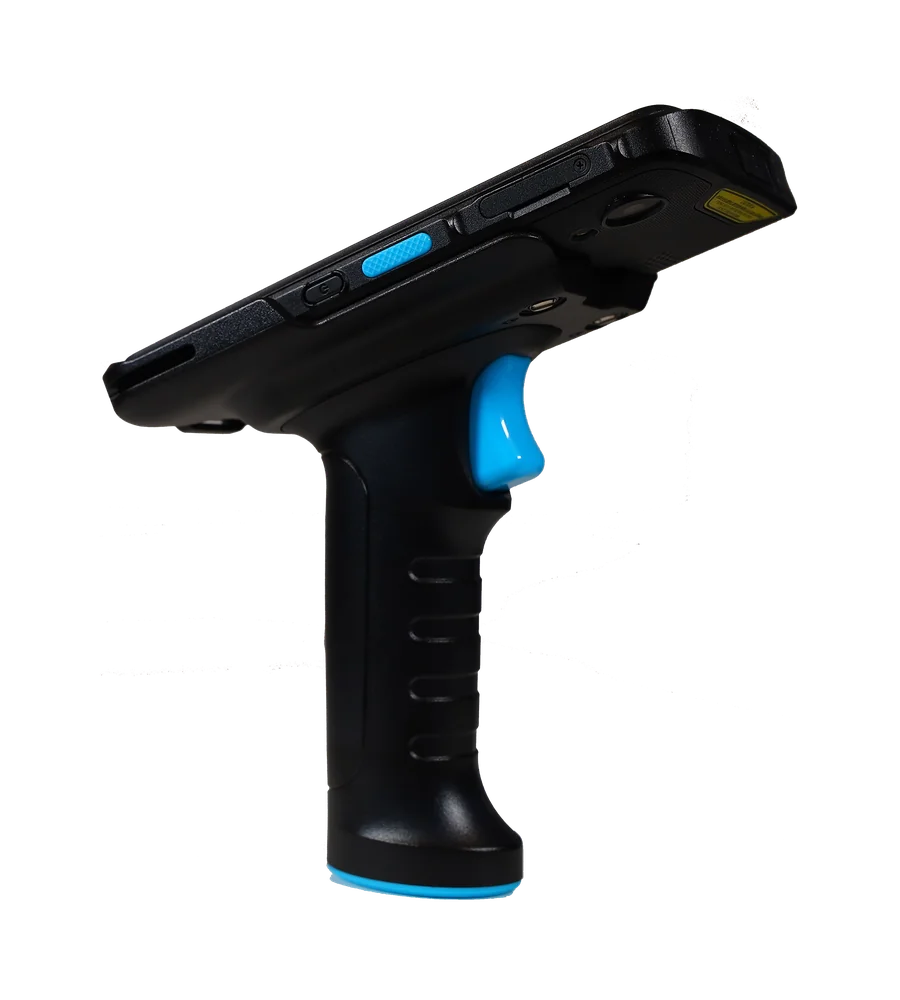
A Unitech rugged handheld with pistol grip running the Insight POS mobile app
  • Works offline
    Lose signal in the cooler or the back room? The app keeps going and syncs the moment it's back — the work never stops.
  • Camera or hardware scanner
    Use the phone camera, or a real scan trigger and pistol grip on a rugged handheld like the Unitech EA530 for sustained scanning.
  • Built for rapid scanning
    Tuned for the flow of real counts: the keyboard never hides the field, and the cursor returns to the scanner after every save — go item → item → item without tapping.
  • Fast, secure sign-in
    Face ID or fingerprint sign-in, so getting into the app is instant and secure.
  • iOS & Android
    A native app on the phone already in your pocket — nothing extra to carry for everyday tasks.

Put the store
in every pocket.

The app is free on both stores. Pocket Register and the system are priced on the website and sold online.

Buy Pocket Register Cloud Back Office See One System

Or call us at (518) 633-4111. A real person answers.