Cloud Back Office

Cloud Back Office · Mobile App

The back office,
in your pocket.

The Insight POS mobile app is your Cloud Back Office, native on iOS and Android — now live and free to download. Reprice at the shelf, run the whole inventory, and read the day's numbers from anywhere — the aisle, the back room, or the couch. It keeps working when the network doesn't.


Free with your Insight POS / Cloud Back Office subscription — nothing extra to buy.

Questions? Call (518) 633-4111 — Cristal answers.
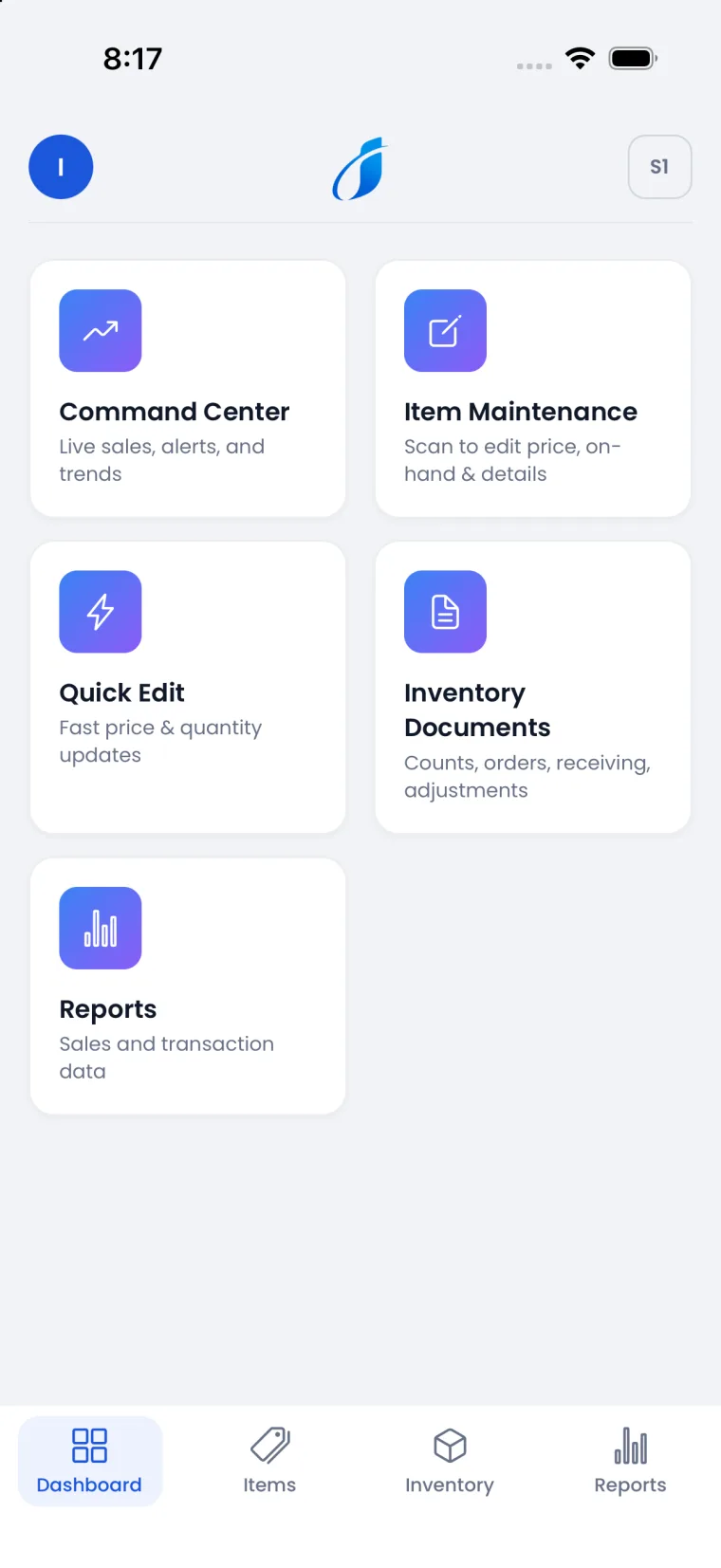
The Insight POS mobile app home screen — Command Center, Item Maintenance, Quick Edit, Inventory Documents, and Reports
A look inside

The whole store, one thumb away.

Real screens from the app — the same engine as the Cloud Back Office, tuned for the floor.

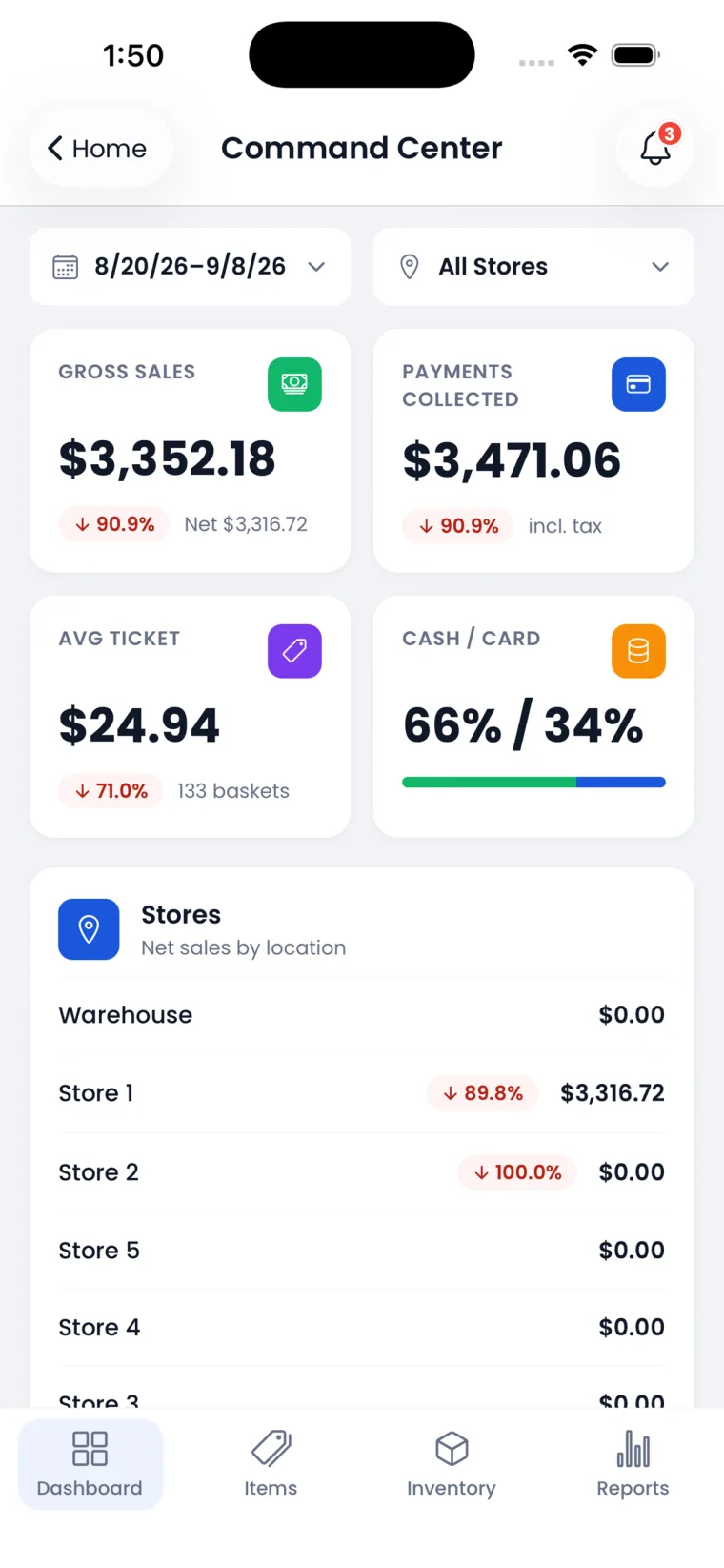
Command Center dashboard
Command Center
Gross sales, payments, average ticket, and cash-vs-card — every store, live, the moment you open the app.
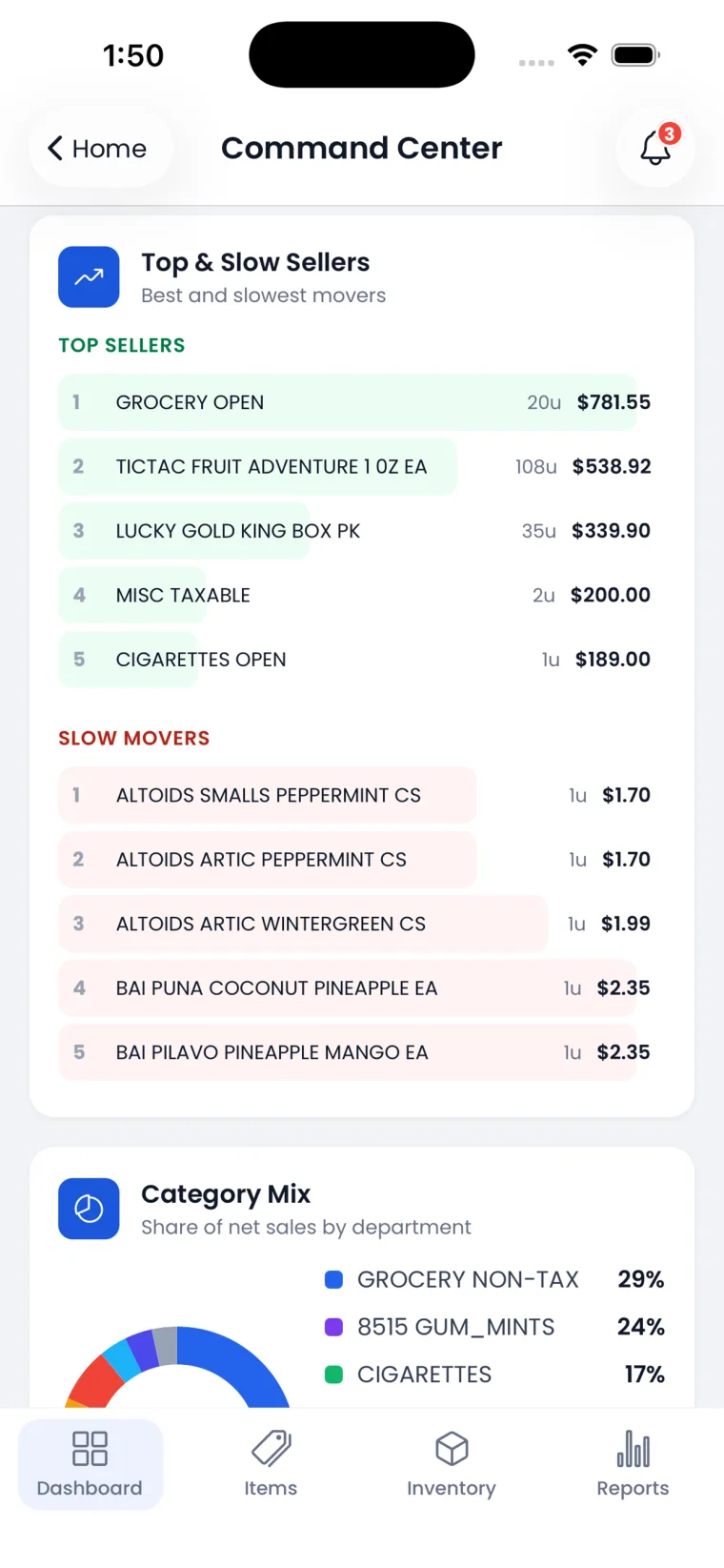
Top and slow sellers with category mix
Top & Slow Movers
Your best and slowest sellers and the category mix, so you know what to reorder and what to cut.
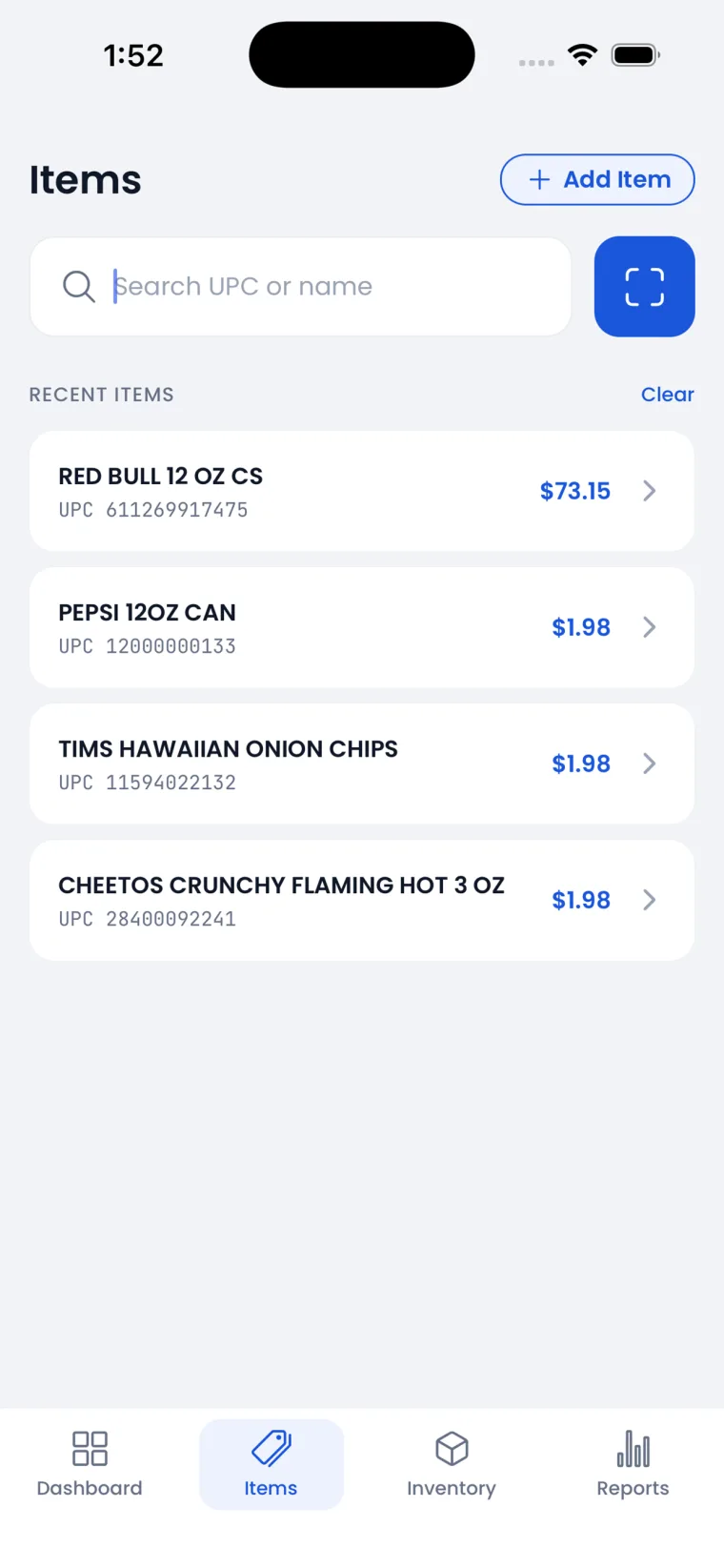
Item search and scan
Scan & Look Up
Scan a barcode or search by name for instant price and detail — or add an item you don't carry yet.
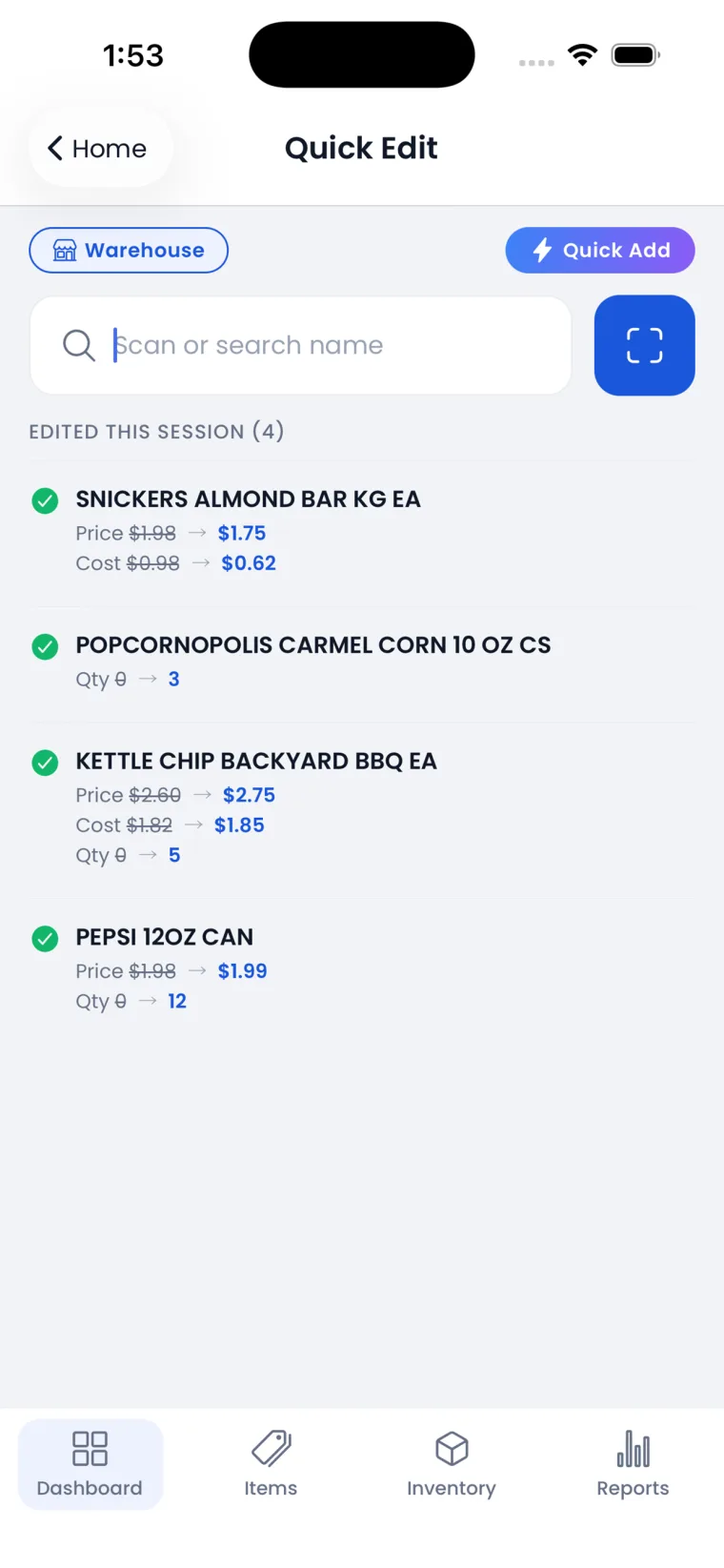
Quick Edit price, cost, and quantity changes
Quick Edit
Change price, cost, or count at the shelf. Every edit this session is tracked, and pushes to the POS.
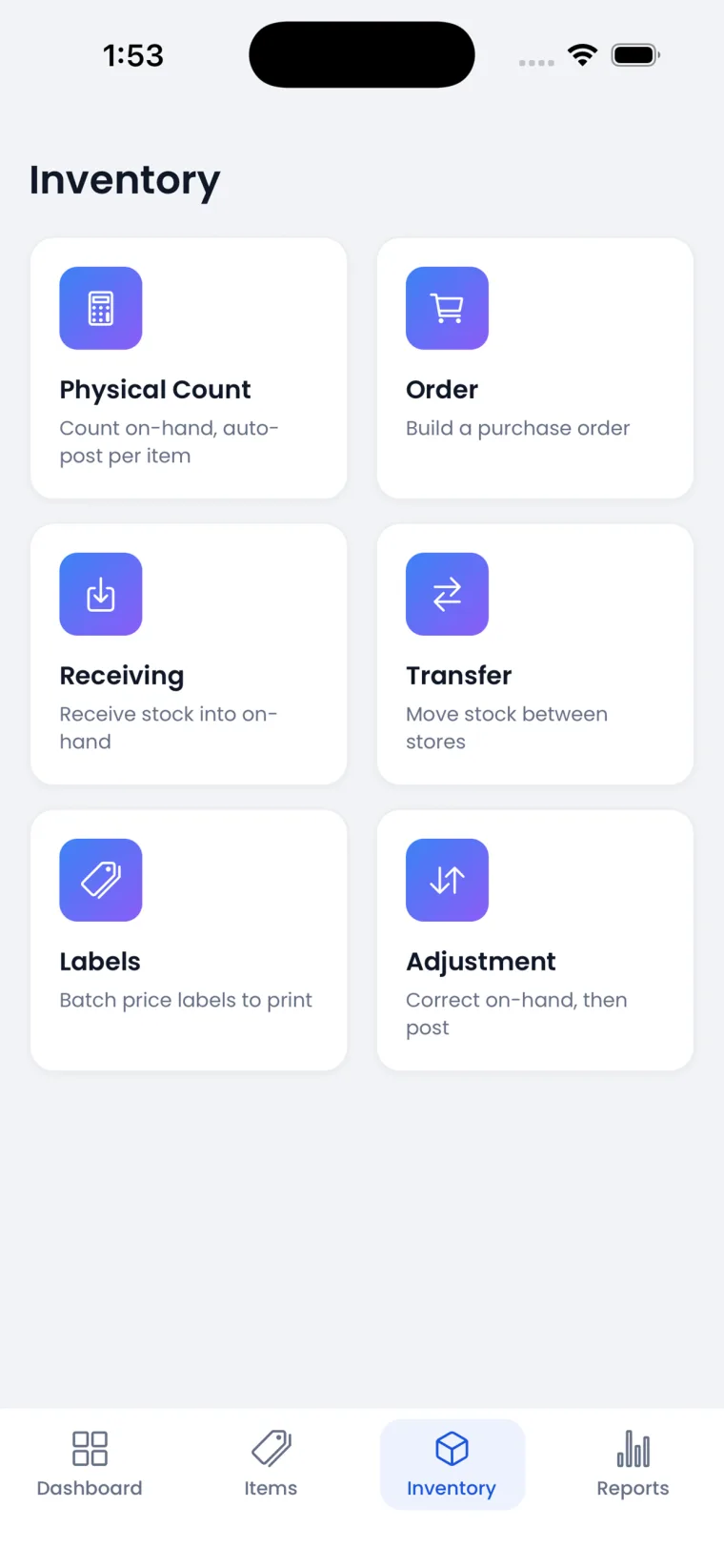
Inventory hub — counts, orders, receiving, transfers, labels, adjustments
Full Inventory
Physical counts, orders, receiving, store-to-store transfers, adjustments, and print-label batches.
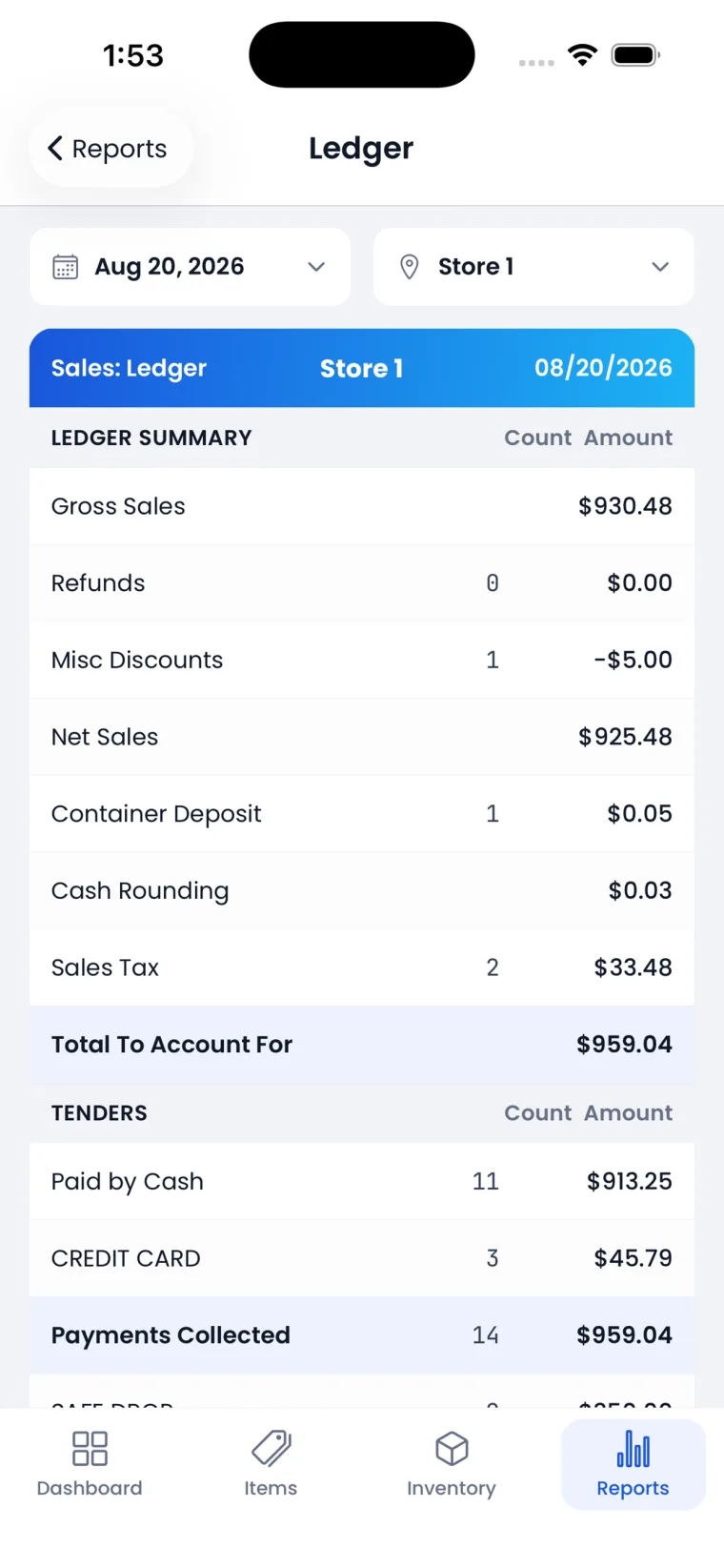
Daily sales ledger report
Reports to Go
The daily ledger — sales, discounts, tax, and tenders — for any store, any day, away from the counter.

Swipe to explore →

Quick Edit repricing on the Insight POS mobile app
Pricing

Reprice at the shelf —
one store, or all of them.

  • Quick-price mode
    The cursor jumps Scan → Price with no screen tap, so prices change as fast as you can scan down a shelf.
  • See the margin before you commit
    Current and potential margin, markup, and profit show right on screen — a pricing mistake never makes it in.
  • Push to one store or all of them
    Change a price at the store you're standing in, or send it to every store you run — from the handheld, on the spot.
  • Add items on the spot
    Scan something you don't carry yet and add it in seconds, pre-filled from the master product catalog.
  • Full item maintenance
    Edit price, cost, and details on the floor; changes push to the POS immediately.
Inventory

The whole inventory toolkit —
not just counts.

The Inventory hub on the Insight POS mobile app
  • Physical counts, continually
    Count the whole store or a single shelf any time of day. Live inventory means counts are accurate whenever you take them, so shrinkage surfaces fast.
  • Orders & receiving
    Build a purchase order or receive a delivery at the back door — order in units or cases, and the app remembers your choice as you scan down the shelf.
  • Store-to-store transfers
    Move stock between locations from your hand, and keep every store's on-hand honest.
  • Adjustments & print labels
    Correct on-hand and post it, then queue a batch of price labels to print — all from the same app.
  • Searchable vendor list
    An alphabetized, searchable vendor list when you're building orders or receiving, so the right supplier is one tap away.
Command Center reporting on the Insight POS mobile app
Reporting

Know the day,
from anywhere in the store.

  • Command Center
    Gross sales, payments collected, average ticket, and the cash-vs-card split — live, across every store or one.
  • Top movers and category mix
    See your best and slowest sellers and the share of sales by department, so buying decisions are grounded in what's actually moving.
  • The daily ledger
    Sales, refunds, discounts, tax, and every tender for any store and any day — the full Retail Transaction detail while you're away from the counter.
  • Always know your store
    The active store is shown on-screen, so multi-store operators always know exactly which location they're looking at.
Built for the floor

Made for real work,
on real handhelds.

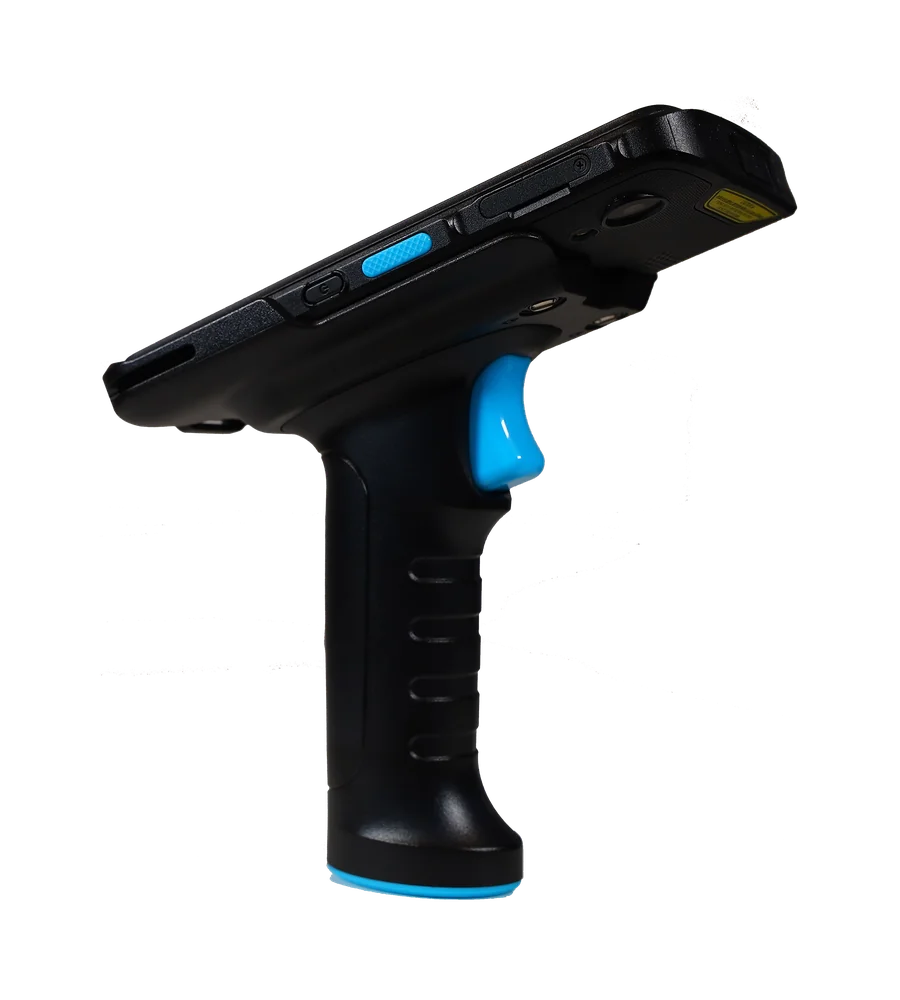
The Unitech EA520 with pistol grip running the Insight POS mobile app
  • Works offline
    Lose signal in the cooler or the back room? The app keeps going and syncs the moment it's back — the work never stops.
  • Camera or hardware scanner
    Use the phone camera, or a real scan trigger and pistol grip on a rugged handheld like the Unitech EA520 for sustained scanning.
  • Built for rapid scanning
    Tuned for the flow of real counts: the keyboard never hides the field, and the cursor returns to the scanner after every save — go item → item → item without tapping.
  • Fast, secure sign-in
    Face ID or fingerprint sign-in, so getting into the app is instant and secure.
  • iOS & Android
    A native app on the phone already in your pocket — nothing extra to carry for everyday tasks.

Put the back office
in every pocket.

Free to download on both stores. Buy the system online — pricing is on the website.

Buy the system The POS Workstation Back to Cloud Back Office

Or call us — (518) 633-4111. Cristal answers.